# The basics
> The handful of concepts behind every Ownkube account: organizations, projects, environments, deployments, and the dashboard pages where you work with them.
Everything in Ownkube hangs off four nouns. Once you know them, every page in the dashboard, the [CLI](/docs/cli) and the [MCP server](/docs/mcp) reads the same way.
| Concept | What it is |
|---|---|
| [Organization](/docs/organizations) | The account boundary. Members, roles, billing and the wallet live here. You can belong to several. |
| [Project](/docs/organizations/projects) | A folder for related deployments inside an organization, such as one product or one customer. |
| [Environment](/docs/deployments/environments) | A stage such as Development or Production. Holds shared variables and keeps names unique. |
| [Deployment](/docs/deployments) | One workload: a web app, worker, scheduled job, Postgres database or Valkey cache. |
A deployment belongs to exactly one environment and one project. The same deployment name can exist in Development and Production side by side.
## The dashboard
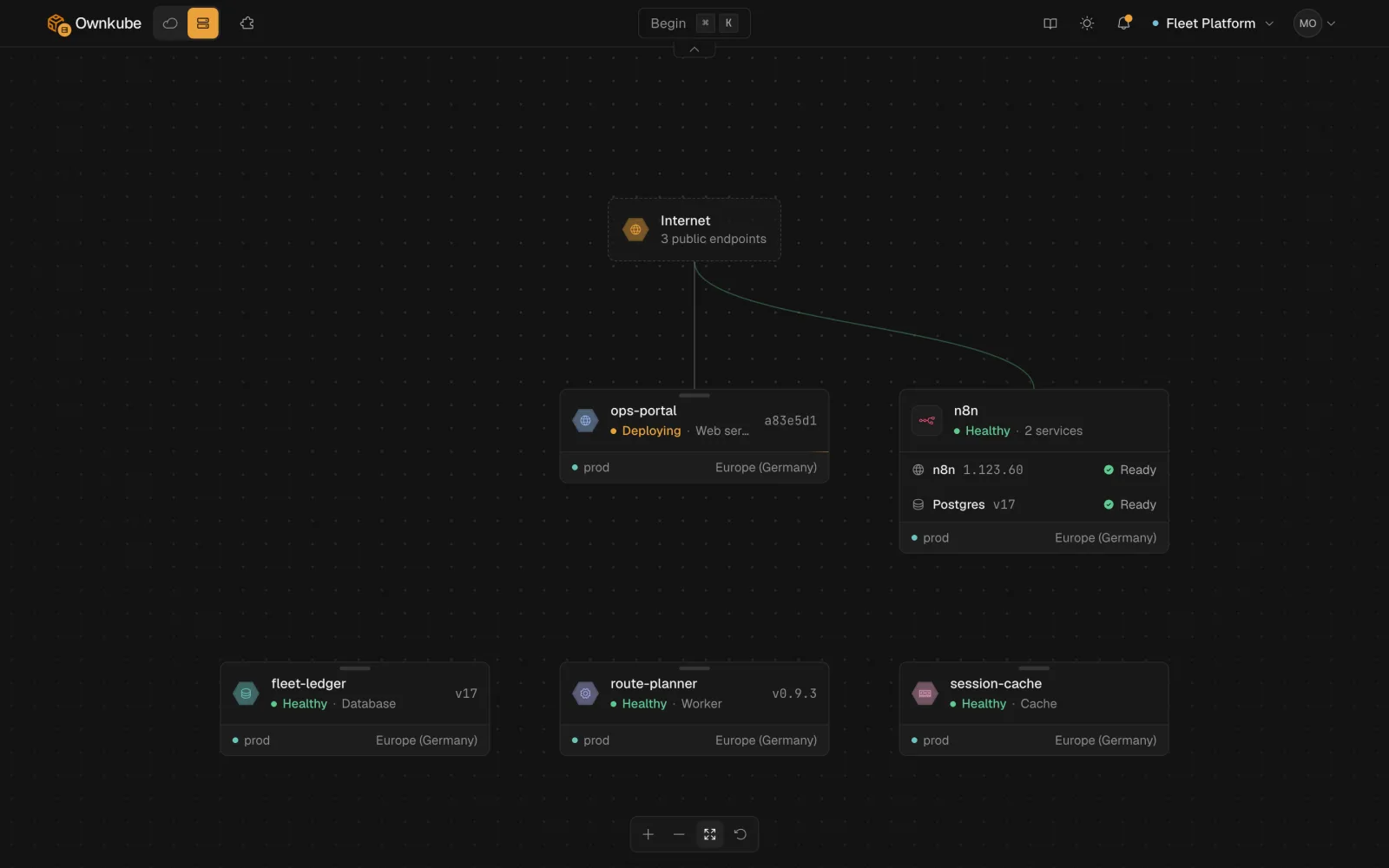
The [dashboard](https://app.ownkube.io/dashboard) lists every deployment in the current organization, grouped by project, with its environment, region and live status. The top bar switches organization and opens [Marketplace](/docs/deployments/marketplace), [Billing](https://app.ownkube.io/dashboard/billing) and [Settings](https://app.ownkube.io/dashboard/settings).
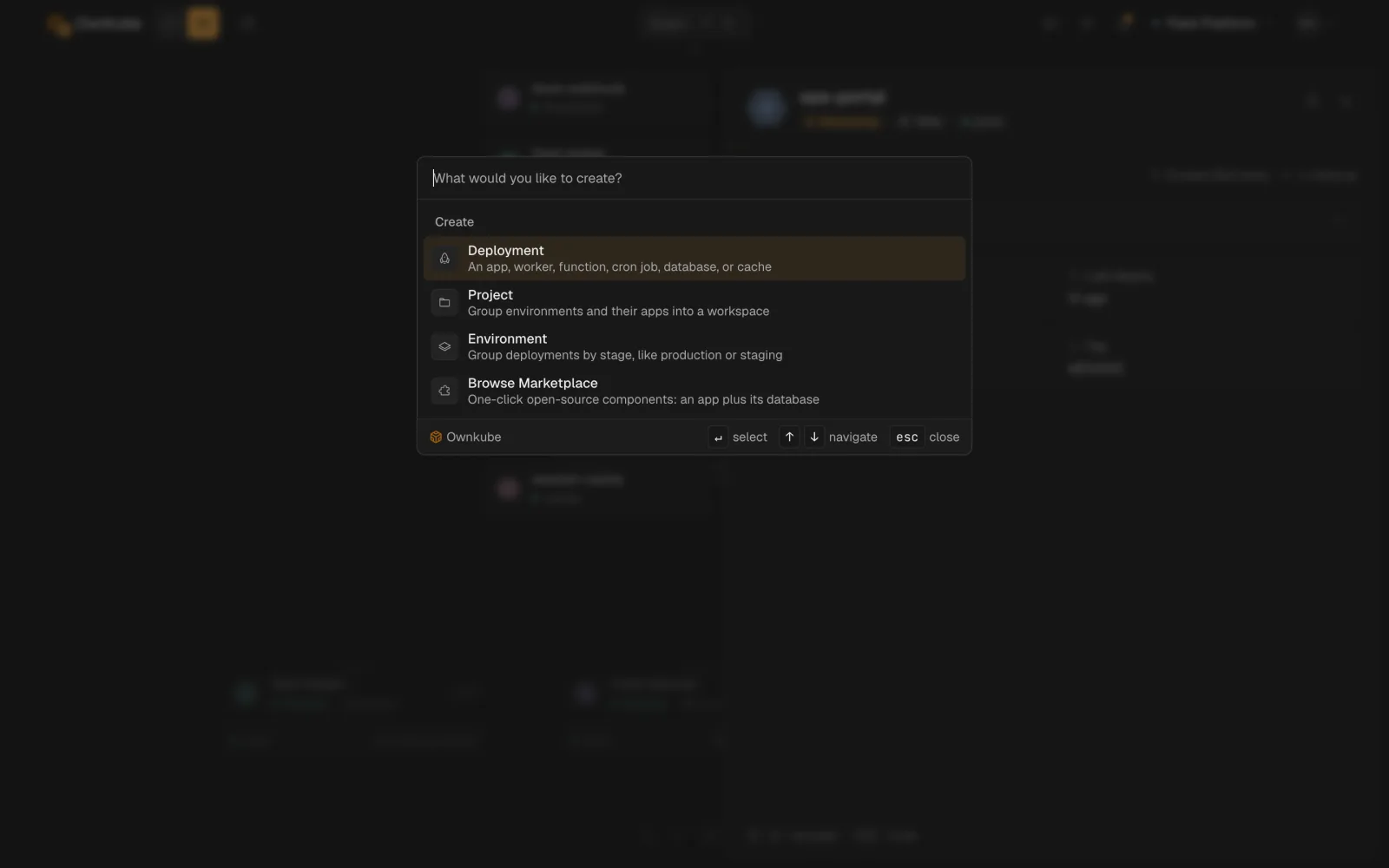
 Press ⌘ K anywhere to open the command palette. It jumps to any deployment by name and creates a deployment, project or environment, or opens the Marketplace, without leaving the keyboard.
 ## A deployment's page
Open any deployment and you land on its tabs. Which tabs you see depends on the resource type.
| Tab | What it holds | Web and worker | Job | Database and cache |
|---|---|---|---|---|
| **Overview** | Status, hostname, metrics, alerts, platform version | Yes | Yes | Yes |
| **Runs** | Run history, **Run now**, cancel | | Yes | |
| **Data** | Browse tables and rows, run SQL, inspect keys | | | Yes |
| **Variables** | Plain and secret variables | Yes | Yes | |
| **Logs** | Live tail with regex filter and download | Yes | Yes | Yes |
| **Activity** | Every revision with a diff and a rollback button | Yes | Yes | Yes |
| **Builder** | Root directory, build arguments, builder size | Yes | Yes | |
| **Security** | Password protection (own-cloud Starter only) | Yes | | |
| **Settings** | Source, port, resources, scaling, probes, sleep, delete | Yes | Yes | Yes |
## A deployment's page
Open any deployment and you land on its tabs. Which tabs you see depends on the resource type.
| Tab | What it holds | Web and worker | Job | Database and cache |
|---|---|---|---|---|
| **Overview** | Status, hostname, metrics, alerts, platform version | Yes | Yes | Yes |
| **Runs** | Run history, **Run now**, cancel | | Yes | |
| **Data** | Browse tables and rows, run SQL, inspect keys | | | Yes |
| **Variables** | Plain and secret variables | Yes | Yes | |
| **Logs** | Live tail with regex filter and download | Yes | Yes | Yes |
| **Activity** | Every revision with a diff and a rollback button | Yes | Yes | Yes |
| **Builder** | Root directory, build arguments, builder size | Yes | Yes | |
| **Security** | Password protection (own-cloud Starter only) | Yes | | |
| **Settings** | Source, port, resources, scaling, probes, sleep, delete | Yes | Yes | Yes |
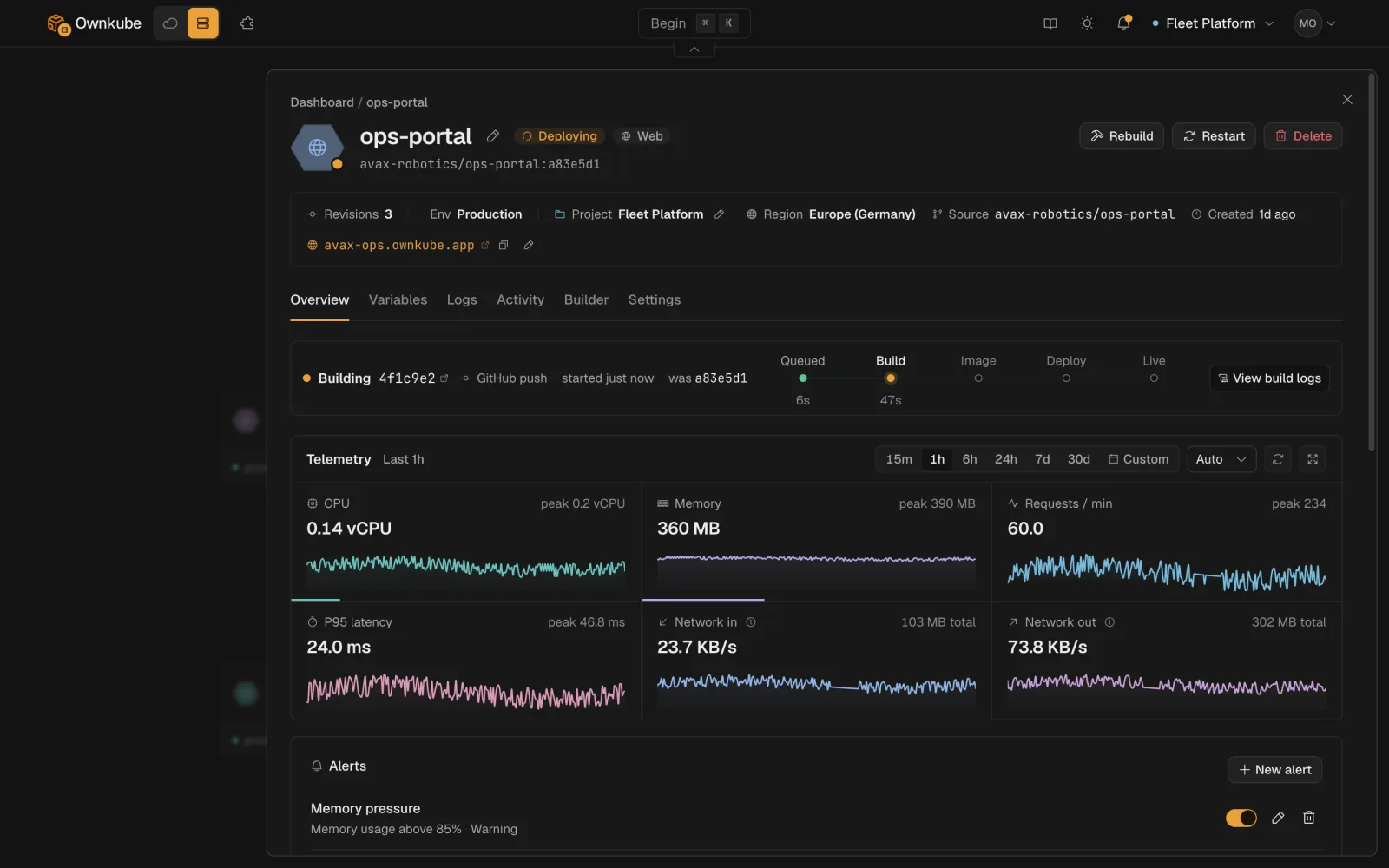 Saving any change on **Settings** or **Variables** creates a new revision and rolls it out. New containers start and pass [health checks](/docs/deployments/health-checks) before old ones stop. See [Rollbacks and activity](/docs/deployments/rollbacks).
## Where things run
Ownkube Compute runs your deployments in a [region](/docs/deployments/regions) you pick per deployment: Asia (Mumbai) or Europe (Germany). Deployments in the same region reach each other over [private networking](/docs/networking/private); public web apps get a hostname with TLS from [public hostnames and TLS](/docs/networking/public-hostnames).
You pay per minute from a [prepaid wallet](/docs/billing/plans). An app that is [asleep](/docs/deployments/sleep) bills nothing.
## Three ways in
- **Dashboard** at [app.ownkube.io](https://app.ownkube.io/dashboard), described above.
- **[CLI](/docs/cli)**: `okctl` covers deploys, logs, a shell on a running app, billing and more.
- **[MCP server](/docs/mcp)**: your coding agent does the same through the Model Context Protocol.
- [Deployments](/docs/deployments)
- [How it works](/docs/how-it-works)
---
**Don't see a feature you need?** Email [support@ownkube.io](mailto:support@ownkube.io?subject=Feature%20request). Ownkube is shaped by the teams using it and we ship what our users ask for.
## Search
This site has a search endpoint: https://context7.com/api/v2/ask?siteKey=ask_c64dfe8ffaa8d3ad19576838&query=. It returns documentation that answers the question, with a source link for each part. No API key is needed. If nothing matches, it says so.
Saving any change on **Settings** or **Variables** creates a new revision and rolls it out. New containers start and pass [health checks](/docs/deployments/health-checks) before old ones stop. See [Rollbacks and activity](/docs/deployments/rollbacks).
## Where things run
Ownkube Compute runs your deployments in a [region](/docs/deployments/regions) you pick per deployment: Asia (Mumbai) or Europe (Germany). Deployments in the same region reach each other over [private networking](/docs/networking/private); public web apps get a hostname with TLS from [public hostnames and TLS](/docs/networking/public-hostnames).
You pay per minute from a [prepaid wallet](/docs/billing/plans). An app that is [asleep](/docs/deployments/sleep) bills nothing.
## Three ways in
- **Dashboard** at [app.ownkube.io](https://app.ownkube.io/dashboard), described above.
- **[CLI](/docs/cli)**: `okctl` covers deploys, logs, a shell on a running app, billing and more.
- **[MCP server](/docs/mcp)**: your coding agent does the same through the Model Context Protocol.
- [Deployments](/docs/deployments)
- [How it works](/docs/how-it-works)
---
**Don't see a feature you need?** Email [support@ownkube.io](mailto:support@ownkube.io?subject=Feature%20request). Ownkube is shaped by the teams using it and we ship what our users ask for.
## Search
This site has a search endpoint: https://context7.com/api/v2/ask?siteKey=ask_c64dfe8ffaa8d3ad19576838&query=. It returns documentation that answers the question, with a source link for each part. No API key is needed. If nothing matches, it says so.