# Projects
> A project groups the environments and deployments of one app or team. Create projects in Settings, move deployments between them, and target them from okctl.
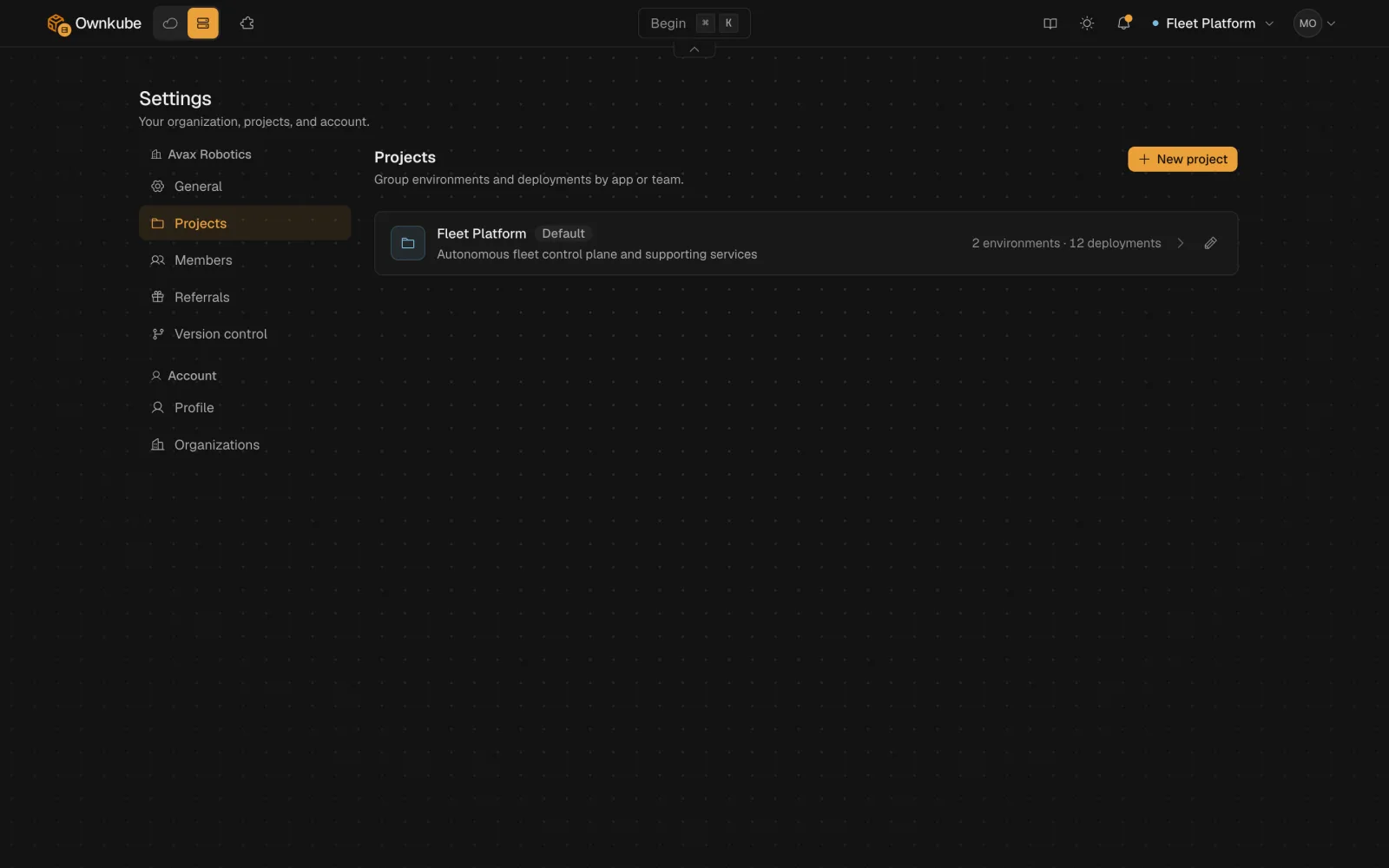
A **project** is a folder for one app or one team: its environments, its deployments and its datastores, together in the dashboard. Every organization starts with a default project, and the project menu at the top of the dashboard switches between them so you can jump between apps without scrolling past each other's services.
 ## How projects fit
```
Organization
Project (marketing)
Environment (production)
web, worker, postgres
Environment (staging)
web, postgres
Project (api)
Environment (production)
api, valkey
```
Environments belong to a project, deployments belong to an environment. Shared variables, promotion and the private network all work within an environment; see [Environments](/docs/deployments/environments). A deployment's project shows in the project menu and on its Overview tab.
## Create a project
1. Open [Settings](https://app.ownkube.io/dashboard/settings) and go to **Projects**.
2. Click **New project**. Give it a name (for example `Marketing site`), a slug (`marketing`) and an optional description and colour.
3. Click **Create project**. It appears in the project menu at the top of the dashboard, ready for environments and deployments.
Edit the name, description or colour later from the same card. **Remove project** deletes an empty project; move or delete its deployments first.
## Move a deployment
Open the deployment's **Settings** tab, find **Move to project** under Advanced settings, pick the target project and confirm. The deployment keeps its hostname, variables, environment and revision history; only the folder it is filed under changes.
From the terminal:
```bash
okctl deploy move --project
```
To put a copy of a deployment in another environment instead, use `okctl deploy copy --to-environment `.
## From the terminal
```bash
okctl projects list
okctl projects create --name "Marketing site" --slug marketing --description "Public site and its supporting services" --color blue
okctl projects get
okctl projects update --name "Marketing"
okctl projects delete
```
`okctl up --project ` deploys a new app into a specific project, and `okctl deploy create --project ` is required when creating from a manifest. See the [command reference](/docs/cli/commands#projects).
- [Environments](/docs/deployments/environments)
- [Organizations](/docs/organizations)
- [Create a deployment](/docs/deployments/create)
---
**Don't see a feature you need?** Email [support@ownkube.io](mailto:support@ownkube.io?subject=Feature%20request). Ownkube is shaped by the teams using it and we ship what our users ask for.
## Search
This site has a search endpoint: https://context7.com/api/v2/ask?siteKey=ask_c64dfe8ffaa8d3ad19576838&query=. It returns documentation that answers the question, with a source link for each part. No API key is needed. If nothing matches, it says so.
## How projects fit
```
Organization
Project (marketing)
Environment (production)
web, worker, postgres
Environment (staging)
web, postgres
Project (api)
Environment (production)
api, valkey
```
Environments belong to a project, deployments belong to an environment. Shared variables, promotion and the private network all work within an environment; see [Environments](/docs/deployments/environments). A deployment's project shows in the project menu and on its Overview tab.
## Create a project
1. Open [Settings](https://app.ownkube.io/dashboard/settings) and go to **Projects**.
2. Click **New project**. Give it a name (for example `Marketing site`), a slug (`marketing`) and an optional description and colour.
3. Click **Create project**. It appears in the project menu at the top of the dashboard, ready for environments and deployments.
Edit the name, description or colour later from the same card. **Remove project** deletes an empty project; move or delete its deployments first.
## Move a deployment
Open the deployment's **Settings** tab, find **Move to project** under Advanced settings, pick the target project and confirm. The deployment keeps its hostname, variables, environment and revision history; only the folder it is filed under changes.
From the terminal:
```bash
okctl deploy move --project
```
To put a copy of a deployment in another environment instead, use `okctl deploy copy --to-environment `.
## From the terminal
```bash
okctl projects list
okctl projects create --name "Marketing site" --slug marketing --description "Public site and its supporting services" --color blue
okctl projects get
okctl projects update --name "Marketing"
okctl projects delete
```
`okctl up --project ` deploys a new app into a specific project, and `okctl deploy create --project ` is required when creating from a manifest. See the [command reference](/docs/cli/commands#projects).
- [Environments](/docs/deployments/environments)
- [Organizations](/docs/organizations)
- [Create a deployment](/docs/deployments/create)
---
**Don't see a feature you need?** Email [support@ownkube.io](mailto:support@ownkube.io?subject=Feature%20request). Ownkube is shaped by the teams using it and we ship what our users ask for.
## Search
This site has a search endpoint: https://context7.com/api/v2/ask?siteKey=ask_c64dfe8ffaa8d3ad19576838&query=. It returns documentation that answers the question, with a source link for each part. No API key is needed. If nothing matches, it says so.