# Run in your own AWS account
> Run the same app, with the same dashboard, logs and metrics, inside your own AWS account. Connect the account, create a cluster, deploy. Starter is free; Production is $5 per vCPU and $1 per GiB a month.
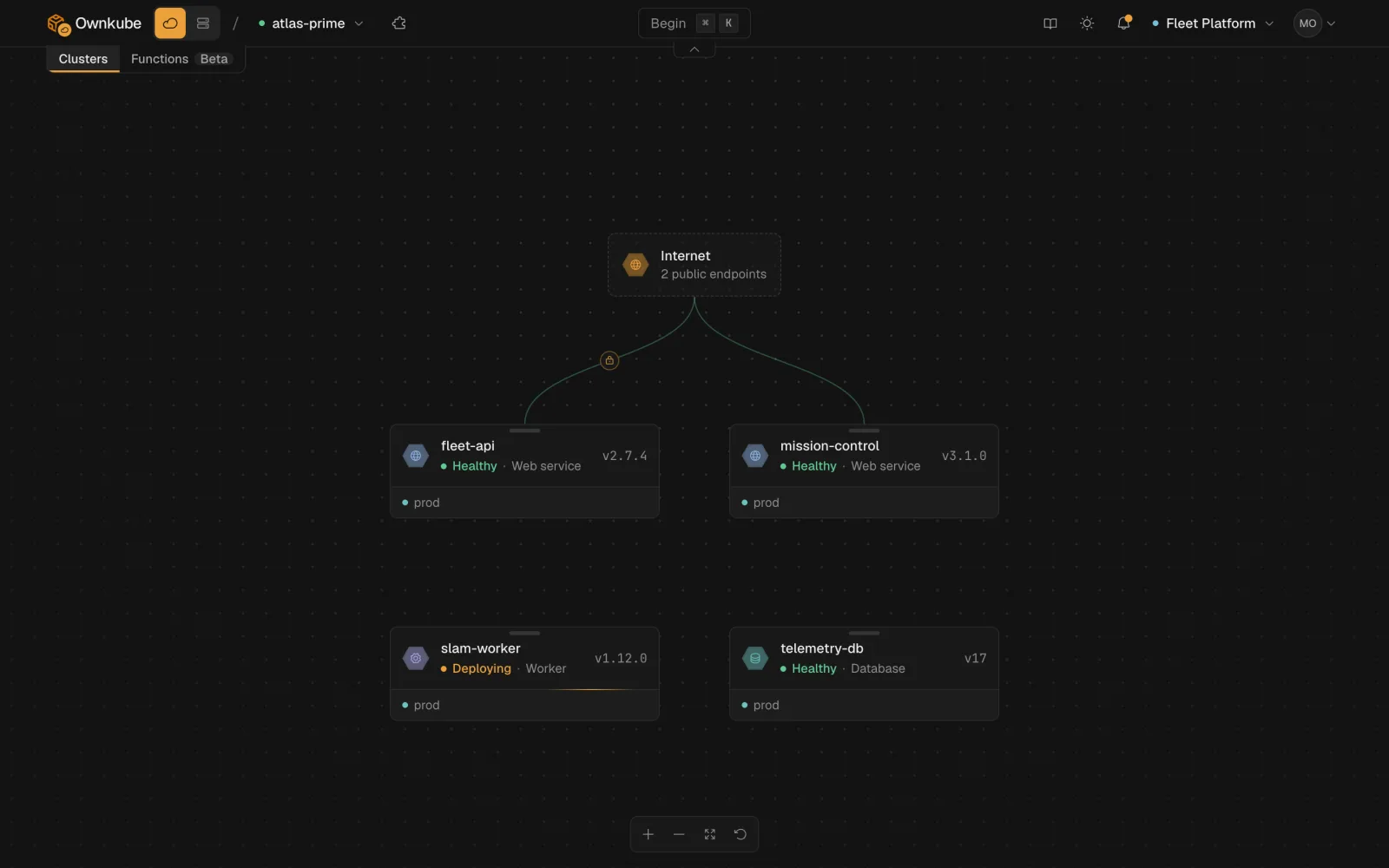
Everything else in these docs describes **Ownkube Compute**: you push code, Ownkube runs it, and you pay for what you use. This section covers the option to run the same apps inside **your own AWS account** instead. Same deployments, same environments, same dashboard, logs, metrics and alerts. The difference is where the containers run and who gets the AWS bill.
 ## When to run in your own account
- **Data residency.** Your code, databases, logs and traffic never leave your VPC. Ownkube's control plane only holds configuration. See [Security](/docs/security).
- **Your own bill.** AWS charges you for the instances directly. Credits, Reserved Instances and Savings Plans apply as usual.
- **A customer's account.** Deliver your product into a customer's AWS account and still operate it from one dashboard.
If none of those apply, stay on Ownkube Compute. It is cheaper to start and there is nothing to provision.
## Two cluster shapes
### Starter
One EC2 instance you size yourself. No Ownkube fee: you pay AWS for the instance. Unlimited apps, workers, jobs, databases and caches on that one box. Also the home of [custom domains](/docs/own-cloud/custom-domains) and [access protection](/docs/own-cloud/access-protection).
### Production
Managed EKS across availability zones with node autoscaling. **\$5 per vCPU and \$1 per GiB RAM a month**, metered per second on what your deployments request. AWS bills the underlying compute at its own rates.
You can run both at once in the same organization, for example Starter for development and Production for live traffic. [Clusters](/docs/own-cloud/clusters) compares them in detail.
## Set up in three steps
1. **Connect your AWS account**
A CloudFormation stack creates one least-privilege role Ownkube assumes with a unique external ID. No access keys are stored. About three minutes. See [Connect your AWS account](/docs/own-cloud/connect-aws).
2. **Create a cluster**
Pick Starter or Production, a region and a size. Starter is ready in about five minutes, Production in about ten. See [Create a cluster](/docs/own-cloud/create-cluster).
3. **Deploy to it**
Choose the cluster instead of a Compute region when you [create a deployment](/docs/deployments/create), or pass `--cluster` to `okctl`. Everything after that is the same as on Compute.
## What stays the same
| | Ownkube Compute | Your AWS account |
|---|---|---|
| Deploy from GitHub, GitLab or an image | Yes | Yes |
| Environments, variables, promotion | Yes | Yes |
| Managed Postgres and Valkey | Yes | Yes. Starter runs a single instance; Production supports standbys |
| Logs, metrics, alerts | Yes | Yes |
| Public hostname with HTTPS | `*.ownkube.app` | `*.ownkube.app`, plus [your own domain](/docs/own-cloud/custom-domains) on Starter |
| Sleep when idle, autoscaling | Yes | Yes |
| Billing | Prepaid wallet | AWS bill, plus the Production fee on your wallet |
## What is different
- **Capacity is yours to size.** On Starter you pick the instance. On Production you pick a starting vCPU and memory floor and the node pool scales from there.
- **Platform updates.** Each cluster runs a cluster platform version. Turn on automatic updates in a weekly window or apply them yourself. See [Platform updates](/docs/own-cloud/clusters#platform-updates).
- **Disconnecting is safe.** Delete the CloudFormation stack and Ownkube loses access; your clusters keep running on AWS.
- [Connect your AWS account](/docs/own-cloud/connect-aws)
- [Create a cluster](/docs/own-cloud/create-cluster)
- [Clusters](/docs/own-cloud/clusters)
---
**Don't see a feature you need?** Email [support@ownkube.io](mailto:support@ownkube.io?subject=Feature%20request). Ownkube is shaped by the teams using it and we ship what our users ask for.
## Search
This site has a search endpoint: https://context7.com/api/v2/ask?siteKey=ask_c64dfe8ffaa8d3ad19576838&query=. It returns documentation that answers the question, with a source link for each part. No API key is needed. If nothing matches, it says so.
## When to run in your own account
- **Data residency.** Your code, databases, logs and traffic never leave your VPC. Ownkube's control plane only holds configuration. See [Security](/docs/security).
- **Your own bill.** AWS charges you for the instances directly. Credits, Reserved Instances and Savings Plans apply as usual.
- **A customer's account.** Deliver your product into a customer's AWS account and still operate it from one dashboard.
If none of those apply, stay on Ownkube Compute. It is cheaper to start and there is nothing to provision.
## Two cluster shapes
### Starter
One EC2 instance you size yourself. No Ownkube fee: you pay AWS for the instance. Unlimited apps, workers, jobs, databases and caches on that one box. Also the home of [custom domains](/docs/own-cloud/custom-domains) and [access protection](/docs/own-cloud/access-protection).
### Production
Managed EKS across availability zones with node autoscaling. **\$5 per vCPU and \$1 per GiB RAM a month**, metered per second on what your deployments request. AWS bills the underlying compute at its own rates.
You can run both at once in the same organization, for example Starter for development and Production for live traffic. [Clusters](/docs/own-cloud/clusters) compares them in detail.
## Set up in three steps
1. **Connect your AWS account**
A CloudFormation stack creates one least-privilege role Ownkube assumes with a unique external ID. No access keys are stored. About three minutes. See [Connect your AWS account](/docs/own-cloud/connect-aws).
2. **Create a cluster**
Pick Starter or Production, a region and a size. Starter is ready in about five minutes, Production in about ten. See [Create a cluster](/docs/own-cloud/create-cluster).
3. **Deploy to it**
Choose the cluster instead of a Compute region when you [create a deployment](/docs/deployments/create), or pass `--cluster` to `okctl`. Everything after that is the same as on Compute.
## What stays the same
| | Ownkube Compute | Your AWS account |
|---|---|---|
| Deploy from GitHub, GitLab or an image | Yes | Yes |
| Environments, variables, promotion | Yes | Yes |
| Managed Postgres and Valkey | Yes | Yes. Starter runs a single instance; Production supports standbys |
| Logs, metrics, alerts | Yes | Yes |
| Public hostname with HTTPS | `*.ownkube.app` | `*.ownkube.app`, plus [your own domain](/docs/own-cloud/custom-domains) on Starter |
| Sleep when idle, autoscaling | Yes | Yes |
| Billing | Prepaid wallet | AWS bill, plus the Production fee on your wallet |
## What is different
- **Capacity is yours to size.** On Starter you pick the instance. On Production you pick a starting vCPU and memory floor and the node pool scales from there.
- **Platform updates.** Each cluster runs a cluster platform version. Turn on automatic updates in a weekly window or apply them yourself. See [Platform updates](/docs/own-cloud/clusters#platform-updates).
- **Disconnecting is safe.** Delete the CloudFormation stack and Ownkube loses access; your clusters keep running on AWS.
- [Connect your AWS account](/docs/own-cloud/connect-aws)
- [Create a cluster](/docs/own-cloud/create-cluster)
- [Clusters](/docs/own-cloud/clusters)
---
**Don't see a feature you need?** Email [support@ownkube.io](mailto:support@ownkube.io?subject=Feature%20request). Ownkube is shaped by the teams using it and we ship what our users ask for.
## Search
This site has a search endpoint: https://context7.com/api/v2/ask?siteKey=ask_c64dfe8ffaa8d3ad19576838&query=. It returns documentation that answers the question, with a source link for each part. No API key is needed. If nothing matches, it says so.