
 Abhishek Jaiswal
The best Render alternatives in 2026 are Ownkube, Railway, Fly.io, Northflank and DigitalOcean App Platform. Ownkube is the closest swap if you like Render’s workflow and want a smaller bill for apps that are idle much of the day: apps meter per minute on what they use, Postgres starts at $4 a month, and everything draws from a prepaid wallet. Railway suits many small services, Fly.io suits apps spread across continents, and Northflank suits platform teams. Render stays a good choice for steady services that run busy all day, so this post also covers when to stay.
Our picks
| If you want | Pick |
|---|---|
| A smaller bill for mostly idle apps, Postgres and a cache included | Ownkube |
| Many small services with per-second metering | Railway |
| Low latency on several continents | Fly.io |
| Kubernetes power, GPU and job runners without running a cluster | Northflank |
| To stay next to your existing DigitalOcean resources | DigitalOcean App Platform |
| A few busy services at flat, readable prices | Stay on Render |
The Render alternatives at a glance
Prices are approximate list prices from each provider’s pricing page, as of October 2026.
| Alternative | Billing model | Smallest always-on service | Managed Postgres | Plan fee | Best for |
|---|---|---|---|---|---|
| Ownkube | Prepaid wallet, metered per minute or a flat box per app | Metered from cents, or a Spark 1 box at $5 a month | From $4 a month plus $0.25 per GB | None on Pay as you go; Personal $5 and Team $20 load the same amount as credit | Personal software and small teams |
| Railway | Metered per second, postpaid | Whatever it uses, from cents | Metered service | $5 or $20, including the same in usage | Many small services |
| Fly.io | Machines per second, postpaid | $2.19 a month (256 MB) | Managed from $38 a month | None, support plans from $29 | Global apps |
| Northflank | Per-second compute, postpaid | $2.70 a month (0.1 shared vCPU, 256 MB) | Yes | None | Platform teams |
| DigitalOcean App Platform | Flat container tiers, postpaid | $5 a month | From $15.15 a month | None | DigitalOcean users |
| Render | Workspace plan plus flat instances, postpaid | $7 a month (0.5 CPU, 512 MB) | From $6 a month plus $0.30 per GB | $0, Pro $25, Scale $499 | Steady services |
Why people look for a Render alternative
You pay for the size, busy or idle. A 1 CPU, 2 GB instance is $25 a month whether it serves a thousand requests a minute or one an hour. Most personal software idles most of the day.
The workspace plan sits on top. Team features such as unlimited seats, full-stack previews and autoscaling sit on Pro at $25 a month, before any compute.
The free tier has sharp edges. Free instances spin down after 15 minutes without traffic and take about a minute to wake, and free Postgres expires 30 days after creation.
The cache is a separate line. Key Value starts at $10 a month for 256 MB, which is a lot next to a $7 app.
The alternatives, one by one
Ownkube
Ownkube is a cloud for personal software. You deploy web apps, workers, cron jobs, Postgres and a Valkey cache onto Ownkube Compute with no cloud account to set up, from a GitHub or GitLab repo or an image. Each app gets an *.ownkube.app hostname with TLS, and its page shows the build, logs and live CPU, memory, request and latency metrics.
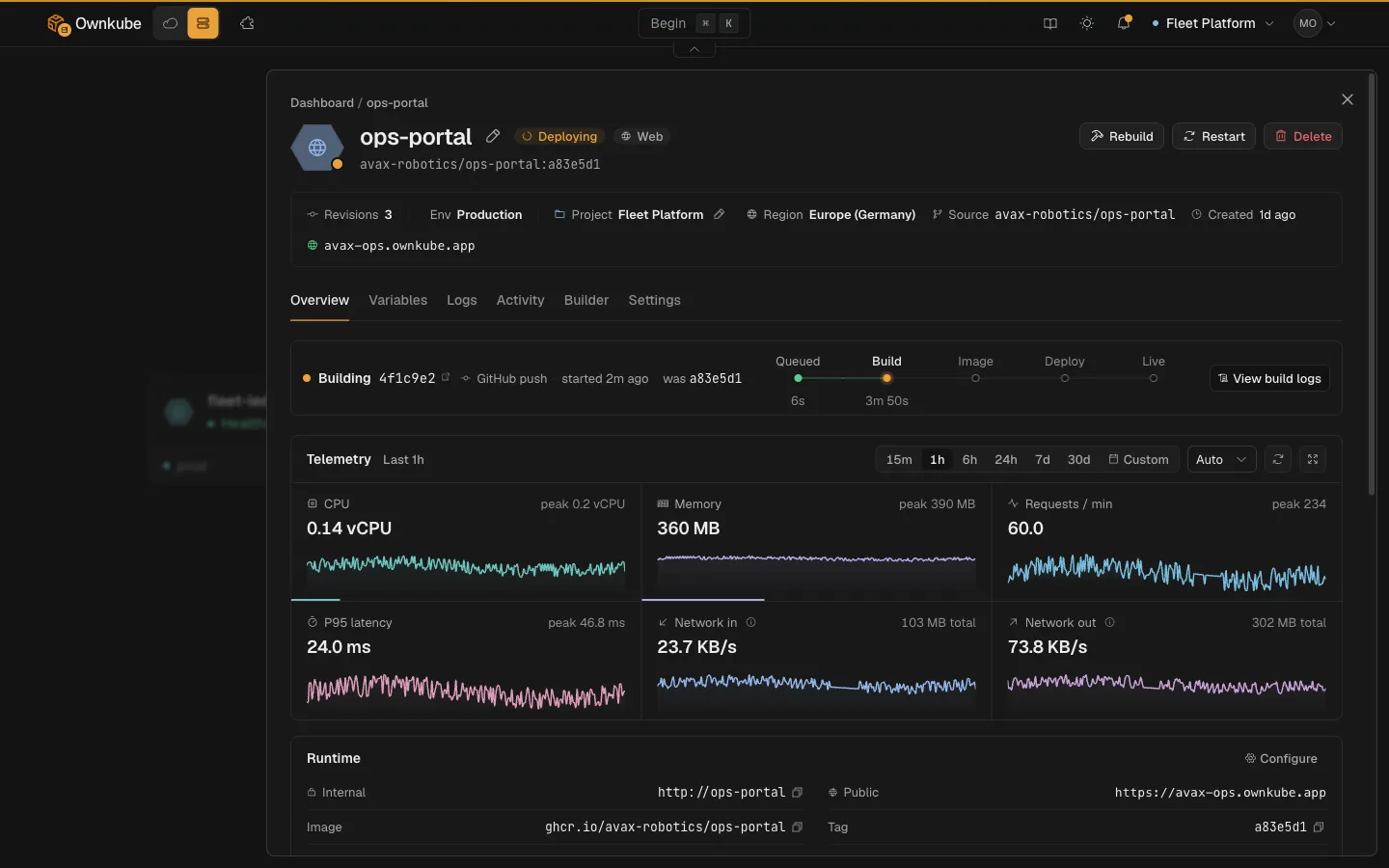
The difference from Render is the billing. Apps meter CPU and memory per minute on what they use (about $18 per vCPU and $4.50 per GiB a month), so an idle app barely registers on the CPU line, or they sit on a flat box (Spark from $5, Core from $58) if you want Render-style fixed prices. Idle web apps, databases and caches can sleep: a sleeping app meters nothing and a sleeping database bills only storage.
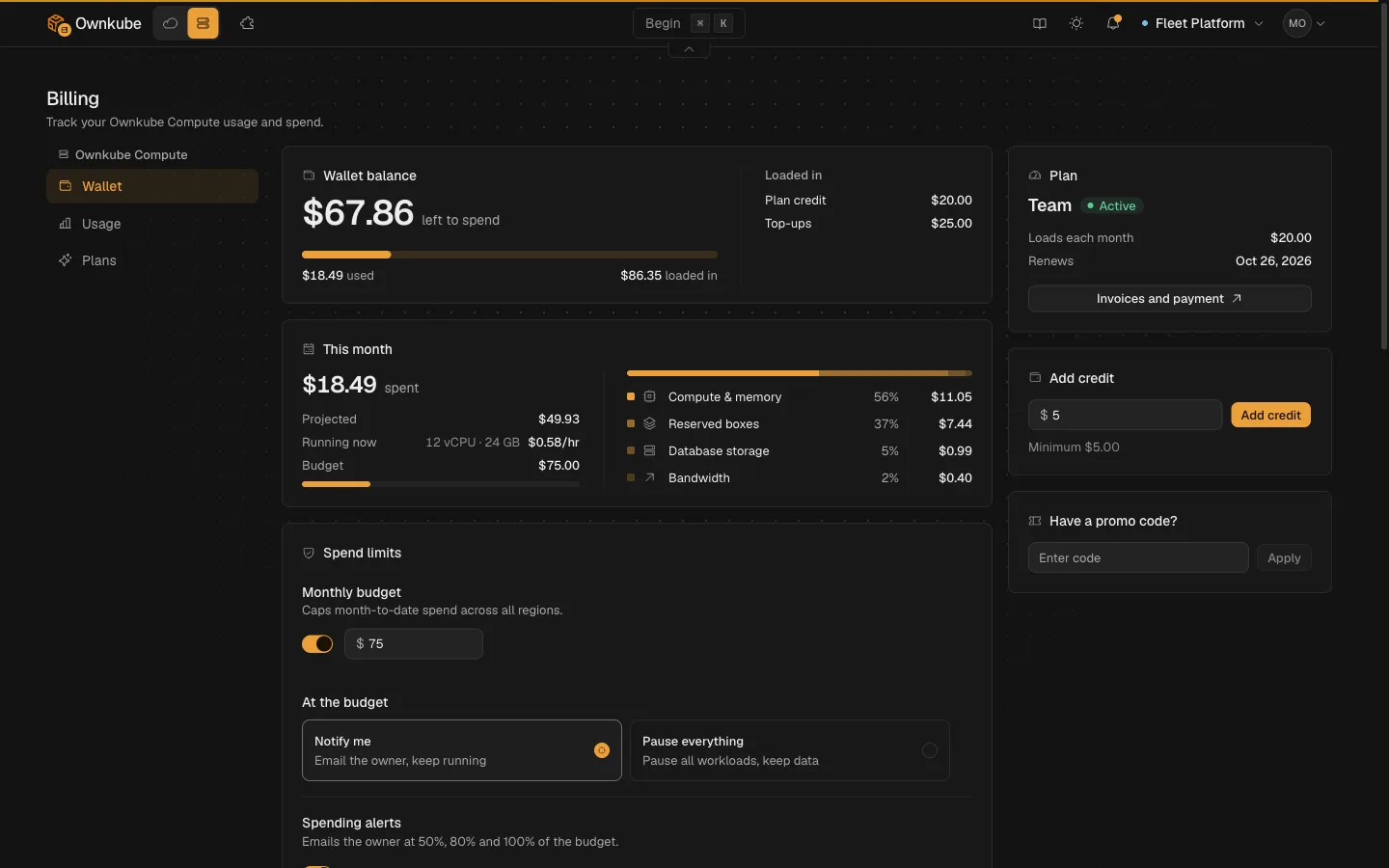
Everything draws from a prepaid wallet. Pay as you go starts with a $5 top-up, Personal ($5 a month) and Team ($20 a month) load credit each month, and unused credit never expires. You see spend by line as it happens and can set a monthly budget that either emails you or pauses everything.
The trade-offs: two regions (Mumbai and Germany), no preview environments, and custom domains are not on Compute yet. When an app has to move into your own or a customer’s AWS account, the same app ships there with no rewrite, with its logs, metrics and health checks.
Railway
Railway meters CPU and memory per second, so many small or idle services cost little, and its setup is among the fastest anywhere. Bills arrive postpaid, and plan credit resets each month. See Railway vs Render.
Fly.io
Fly.io runs Machines in dozens of regions. It is the pick when users are spread across continents. Managed Postgres starts around $38 a month. See Fly.io pricing explained.
Northflank
Northflank bills per second and adds GPU, job runners and the option to run in your own cloud. It asks for more configuration than Render and gives more control back.
DigitalOcean App Platform
Flat tiers from $5 a month and managed databases from about $15. A sensible move if the rest of your infrastructure already sits on DigitalOcean.
The same app on Render and Ownkube
These come from our Render pricing breakdown, with Ownkube in the Germany region.
| Stack | Ownkube | Render |
|---|---|---|
| Side project: small app, small Postgres, 1 GB of data, 10 GB of egress | about $8.50 | about $14.05 |
| Team app: two 1 vCPU / 2 GB services, 4 GB Postgres, 20 GB of data | about $65 | about $136 |
Render figures are approximate, as of October 2026. A service that runs hot all day closes the gap, since metering helps most when apps idle. Run your own sizes on the homepage calculator.
When to stay on Render
Stay if your services run busy all day, since a flat instance is then good value and easy to forecast. Stay if you rely on full-stack preview environments or custom domains today. Stay if you need regions in the US or Singapore, which Ownkube Compute does not offer yet.
A quick checklist before you switch
- Note which services idle most of the day; those gain the most from metering.
- Check that Mumbai or Germany is close enough to your users.
- Export Postgres with
pg_dumpand test the restore. - Copy environment groups into shared variables on the new platform.
- Keep the Render services running until the new ones have served real traffic.
FAQ
What is the cheapest Render alternative?
For apps that idle much of the day, Ownkube comes out cheaper in the examples above because CPU meters on actual use and Postgres starts at $4. For one tiny always-on process, Fly.io’s 256 MB Machine at about $2 a month is cheaper still.
Does Render have a free tier?
Yes, with limits: free instances spin down after 15 minutes idle, and free Postgres expires after 30 days. Ownkube Compute has no free tier. Pay as you go starts with a $5 top-up, and that credit never expires.
Can I keep Render-style fixed prices on Ownkube?
Yes. Put any app on a Spark or Core box and it bills a flat monthly price from the same wallet. You can switch an app between a box and metering later.
Reference: for the side-by-side breakdown, see Ownkube vs Render in the docs.
Where Ownkube fits
Move off Render when you are paying for sizes your apps rarely use, or when the cache and the plan fee outweigh the app. Stay when your services run hot all day. Ownkube is built for personal software and small teams: ship in seconds, pay for what runs, and keep the credit you do not spend. Deploy my first app.
Abhishek Jaiswal · Founder and Engineer
Abhishek Jaiswal is the founder and engineer behind Ownkube, a cloud for personal software. He builds the platform and writes here about cloud cost, migrations, and running production infrastructure in your own AWS account without a DevOps team.