
 Abhishek Jaiswal
Supabase is a backend in a box: a Postgres database with authentication, file storage, realtime subscriptions, edge functions and an auto-generated API around it. For a frontend that talks to the database directly, that bundle is the point. Many teams end up using one piece of it, the Postgres database, behind their own API server. If that is you, the question changes from “what replaces Supabase” to “where should my Postgres and my backend live”. This post compares the options on that basis, with list prices checked on 2026-10-13.
TL;DR
- Keep Supabase if you rely on its auth, row-level security from the browser, storage and realtime together. Replacing all four is real work.
- If you mostly use the database, a managed Postgres next to your backend is simpler and often cheaper. A 1 GB always-on database with 8 GB of data costs about $25 on Supabase Pro, about $21 on Render, about $22 on Neon, and about $10 on Ownkube.
- Neon is the closest like-for-like if you want serverless Postgres with branching. Self-hosted Supabase keeps every feature, at the cost of running a dozen containers yourself.
- Ownkube runs the database and the app server on one bill: Postgres 17 or 18 on a flat box from $4 a month, and your API on metered compute beside it.
Our picks
| If you want | Pick |
|---|---|
| Postgres and your API on one bill, the database from $4 a month | Ownkube |
| Serverless Postgres with branching | Neon |
| Postgres beside flat-priced web services | Render |
| Every Supabase feature on a server you control | Self-hosted Supabase |
| Auth, storage, realtime and browser-side queries together | Stay on Supabase |
Why do people look for a Supabase alternative?
The reasons we hear most often:
- Free projects pause. Supabase pauses a free project after a week of inactivity, and the free plan allows two projects.
- The jump to paid is a step. Pro starts at $25 a month per organization, and Team at $599.
- The app outgrew the client-side model. Business logic moved into a real backend, and the auto-generated API and browser-side policies became something to work around.
- The backend needs a home anyway. Supabase does not run long-lived app servers or workers, so the API already lives somewhere else, often on a second bill.
What does Supabase cost?
| Plan | Price | Included |
|---|---|---|
| Free | $0 | 2 projects, 500 MB database, 5 GB egress, 50,000 monthly active users, pauses after 1 week inactive |
| Pro | from $25 a month | 8 GB database disk, 250 GB egress, 100,000 monthly active users, $10 of compute credit |
| Team | from $599 a month | Pro limits plus team and compliance features |
Compute is a separate line. The $10 credit on Pro covers the Micro size (1 GB, shared CPU). Small is $15, Medium $60, and Large $110 (2 dedicated vCPUs, 8 GB). Past the included amounts, disk is $0.125 per GB and egress $0.09 per GB.
Which Supabase alternatives are worth considering?
| Option | What you get | Smallest always-on Postgres | Runs your backend too |
|---|---|---|---|
| Ownkube | Managed Postgres 17 or 18 on flat boxes | DB 0.5 at $4 a month, plus $0.25 per GB | Yes |
| Neon | Serverless Postgres, branching, scale to zero | pay per CU-hour ($0.106 on Launch) plus $0.35 per GB | No |
| Render | Postgres next to Render web services | from $6 a month, plus $0.30 per GB | Yes |
| Railway | Postgres as a metered service | about $10 per GB of memory, plus $0.15 per GB volume | Yes |
| Heroku | Heroku Postgres Essential plans | $5 (1 GB storage, 20 connections) | Yes |
| DigitalOcean | Managed Postgres | from $15.15 a month | Yes, on App Platform |
| Self-hosted Supabase | Every Supabase feature, on your server | the server you run it on | Your server |
Ownkube
Ownkube runs managed PostgreSQL 17 and 18 on flat-priced database boxes, from DB 0.5 ($4 a month, 0.25 vCPU, 0.5 GiB) to DB 16 ($104), with storage at $0.25 per GB. Backups with 7-day point-in-time recovery come on the Personal and Team plans, and standby replicas on Team. The database is private by default, and linking it to an app injects DATABASE_URL. Your API, workers and cron jobs run on metered compute in the same environment.
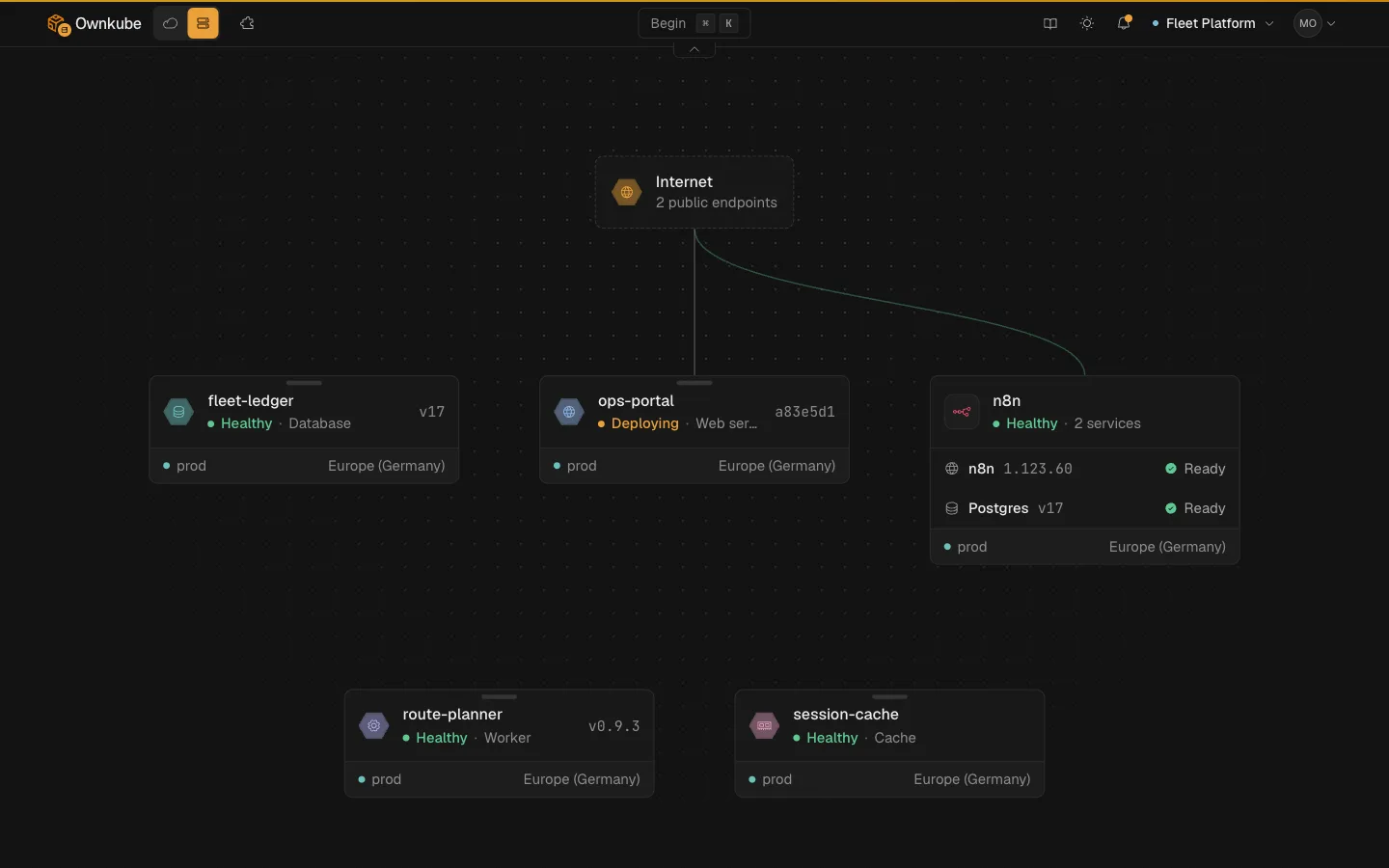
The trade-offs: there is no built-in auth, file storage or realtime layer, Ownkube Compute runs in two regions (Mumbai and Germany), and custom domains are not on Compute yet.
Neon
Neon is serverless Postgres: compute scales to zero after five idle minutes and wakes on the next connection, and branching gives every preview environment its own copy of the data. The free plan includes 100 CU-hours per project. On Launch, compute is $0.106 per CU-hour and storage $0.35 per GB-month. A CU is about 1 vCPU and 4 GB, so a 0.25 CU database running all month is about $19 before storage. Neon is the best fit when the database is mostly idle or when branching matters more to you than a fixed price.
Render, Railway and Heroku
All three run Postgres beside your web services, which solves the “two bills” problem. Render prices Postgres by instance (from $6 for 256 MB, $19 for 1 GB) plus $0.30 per GB, and its free Postgres expires after 30 days. Railway runs Postgres as an ordinary metered service, so a database holding 1 GB of memory all month costs about $10 in memory alone. Heroku’s Essential plans start at $5 with 1 GB of storage and a 20-connection limit.
Self-hosted Supabase
Supabase is open source and ships a Docker Compose setup. You keep auth, storage, realtime and the dashboard, and you take on upgrades, backups and the dozen services the stack runs. It suits teams who want the Supabase developer experience with full control of where the data lives.
What does the same database cost on each?
An always-on database with about 1 GB of memory and 8 GB of data, from list prices checked 2026-10-13:
| Platform | Setup | Monthly |
|---|---|---|
| Ownkube | DB 1 box ($8), 8 GB at $0.25 | about $10 |
| Supabase Pro | Micro compute (covered by the $10 credit), 8 GB included | about $25 |
| Neon Launch | 0.25 CU always on, 8 GB storage | about $22 |
| Render | 0.5c-1g Postgres ($19), 8 GB at $0.30 | about $21.40 |
The Supabase price includes auth, storage and the rest of the platform, so the comparison is fair only if you would not use them. The others include only the database.
What do you give up by leaving Supabase?
Be honest about the bundle before you move:
- Auth. Replace it with a library in your backend (Auth.js, Lucia-style session code, Devise, Django’s auth) or a hosted provider.
- Row-level security from the browser. Policies still work in plain Postgres, but the pattern of the browser querying the database directly needs an API layer in between.
- Storage. Move files to S3-compatible object storage.
- Realtime. Use Postgres
LISTEN/NOTIFYbehind your own WebSocket server, or a hosted pub/sub service.
If that list is most of your app, stay on Supabase or self-host it. If it is one or two items, a plain Postgres next to your backend is less to run.
How do I move a Supabase database to another Postgres?
Supabase is standard Postgres, so pg_dump and pg_restore move it:
pg_dump "$SUPABASE_DB_URL" --no-owner --no-acl --format=custom --file=app.dumppg_restore --no-owner --no-acl --dbname="$NEW_DATABASE_URL" app.dumpSupabase-specific schemas such as auth and storage come along unless you exclude them with --schema=public. Check extensions first: most common ones are available on managed Postgres, but compare the list before you cut over.
FAQ
Is there a cheaper alternative to Supabase?
For the database alone, yes. An always-on 1 GB Postgres with 8 GB of data costs about $10 a month on Ownkube and about $21 on Render, against about $25 on Supabase Pro. Supabase’s price also covers auth, storage and realtime, so the saving depends on whether you use them.
What is the best open-source alternative to Supabase?
Self-hosted Supabase keeps every feature. PocketBase is a smaller single-binary backend with auth and file storage built in, suited to small apps. Appwrite is another self-hostable backend platform. Each trades Supabase’s managed service for running it yourself.
Does Supabase pause free projects?
Yes. Supabase pauses a free project after one week of inactivity. Paid projects do not pause.
Can I use Ownkube Postgres with Prisma or another ORM?
Yes. Ownkube runs standard PostgreSQL 17 and 18, so any ORM or driver that takes a connection string works. Link the database to your app and read DATABASE_URL.
Does Ownkube have auth and storage like Supabase?
No. Ownkube runs your backend, managed Postgres and a Valkey cache. Auth lives in your app code or a provider you choose, and files go to object storage. For a ready-made data backend with an admin UI and a REST API, the Directus template deploys in one click with its own Postgres.
Where Ownkube fits
If your Supabase project has turned into a Postgres database behind your own API, Ownkube puts both on one bill: the database on a flat box from $4 a month and the API on metered compute that bills per minute from a prepaid wallet. Credit rolls over and never expires. Read the managed Postgres hosting page for box sizes, or the add a Postgres database guide for the steps. Deploy my first app.
Abhishek Jaiswal · Founder and Engineer
Abhishek Jaiswal is the founder and engineer behind Ownkube, a cloud for personal software. He builds the platform and writes here about cloud cost, migrations, and running production infrastructure in your own AWS account without a DevOps team.