
Line up metrics and logs on the same time window
Release 15 Aug 27 to Sep 2
Spot a spike on the chart, switch to Logs, and the same minutes are already in view. Metrics and logs now share one time picker. okctl also picked up command groups for usage, billing, alerts and regions, so the numbers on your billing page are one command away.
One time picker for every chart and the logs
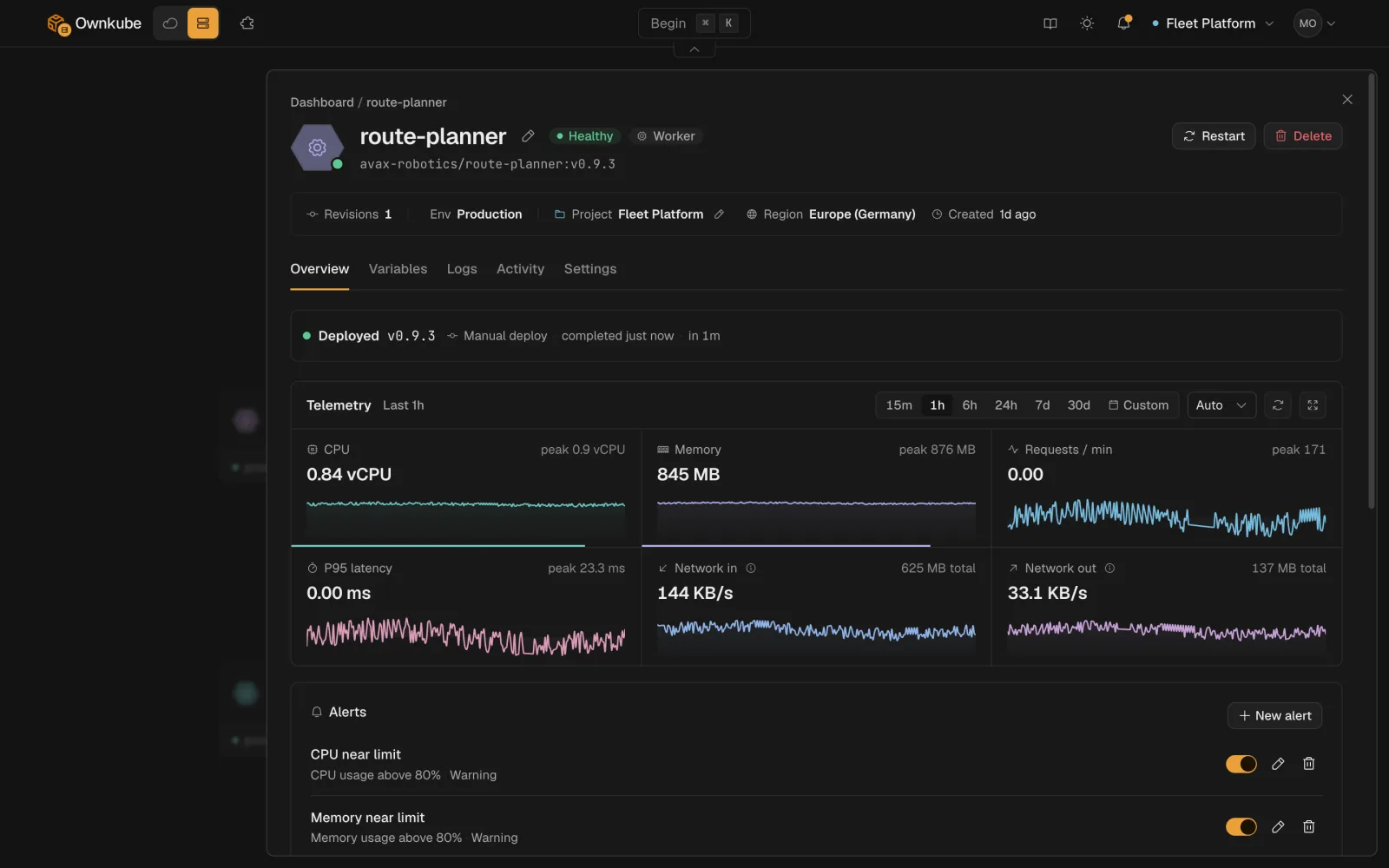
Choose the last 15 minutes, hour, 6 hours or 24 hours, or set a custom from and to with a step.
The picker sits on the Overview tab and sets the window for every chart. Open the Logs tab and it shows the same window.
Metrics docsYour burn rate and wallet balance, one command away
New okctl command groups cover regions, usage, billing, alerts and more deployment actions, so anything you do in the dashboard can go in a script.
okctl usage prints your live burn rate, month-to-date spend, the projection and daily history, okctl billing wallet shows your prepaid wallet balance, and okctl regions list lists the regions you can deploy to. okctl alerts creates, changes and removes alert rules and lists recent firings.
On a deployment, okctl deploy also restarts, renames, switches the maintenance page, changes the public subdomain, sets build arguments and the builder size, and prints telemetry and build logs.
$ okctl usage month-to-date Command reference More in this release
- Jump to any past billing month. The usage view has a month picker, so last March is one click away.
- Claude Code can connect over MCP again. Remote clients register themselves when you add the server URL, so the browser sign in now starts instead of the client refusing to connect.
- A half-finished deploy waits as a draft. A deploy you started and didn't finish appears as a draft card on your canvas. Click it and the flow reopens where you left off.
- A rollout that heals goes back to healthy. A deployment whose rollout failed and then recovered now shows healthy instead of staying stuck on failed.
- Signed in? Straight to the dashboard. Opening ownkube.io while signed in takes you to your dashboard in one step, without the extra sign-in redirect.