
Ship a local folder with okctl up, and group apps by project
Release 16 Sep 3 to 9
No commit, no push, no pipeline: okctl up uploads the folder you are in, builds it and follows the rollout until the app is live. Projects arrived the same week to keep an app's services together, and Starter clusters now pick the region first, with Graviton instances on the list.
Keep an app and its services in one project
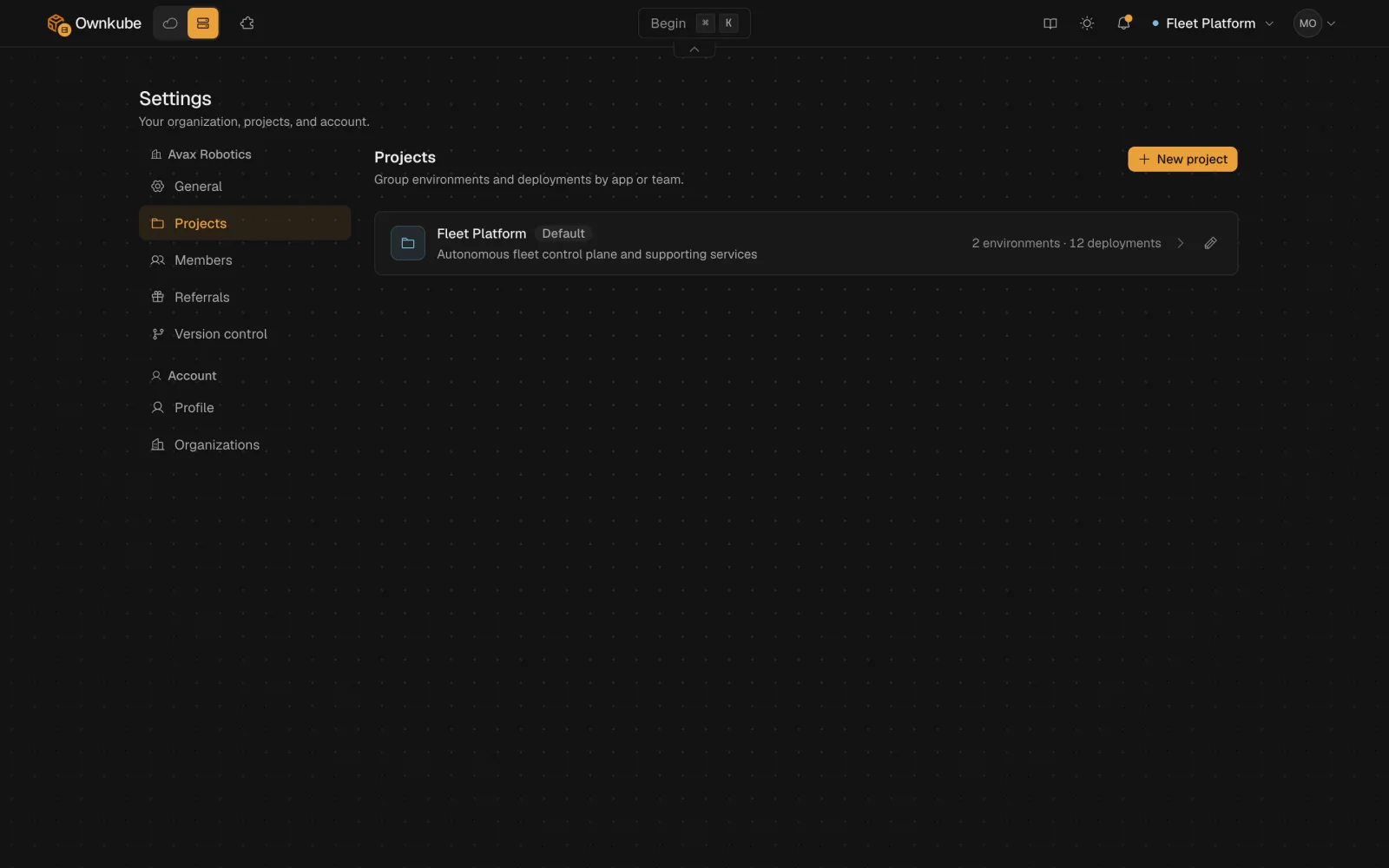
Organize environments and apps by project, and move an app between projects without a redeploy.
Every organization starts with a default project, and the project menu at the top of the dashboard switches between them. To move an app, open its Settings tab and pick Move to project under Advanced settings. It keeps its hostname, variables, environment and revision history.
Projects docsokctl up: your working tree, live
Build and deploy the folder you are in, uncommitted changes included, then follow the logs until it is serving.
It uploads your working tree, uncommitted changes included and files in .gitignore left out, then builds it and follows the rollout until the app is live. In a folder that isn't linked yet, it creates a new web app and links the folder, so the next okctl up redeploys it.
$ okctl up CLI docs Pick the region first, then Graviton or Intel
Creating a Starter cluster now asks for the region before the instance, then lists only the sizes that region can launch. Graviton sits alongside Intel, each with its monthly price there.
You pay AWS for the instance and nothing to Ownkube. Provisioning takes about five minutes.
Create a clusterMore in this release
- Settings get a section rail. Each deployment's Settings tab lists its sections in a rail on the right and shows one at a time. Switching sections keeps the edits you haven't saved.
- Save & Deploy answers right away. It confirms as soon as you click instead of waiting for the whole rollout setup to finish.
- The Overview says what you actually pay for. The container card on a Compute app shows a ceiling for a metered app, and the box with its monthly price for a reserved one, instead of numbers that read like a usage bill.
- Delete an empty project. A project with environments but no deployments can be deleted once you confirm. The default project and any project that still holds deployments stay protected.
- A new app no longer inherits a dead one's metrics. Metrics and logs are matched to each deployment by its own id, so a new app with the same name as a deleted one starts with an empty chart.
- Deleting a cluster takes its disks with it. Leftover EBS volumes from a deleted cluster are removed from your AWS account, so they stop showing up on your AWS bill.