
Restart without rebuilding, or put up a maintenance page
Release 14 Aug 20 to 26
A stuck process used to mean a redeploy. Now one button restarts every replica without a rebuild. You can also park a public app behind a maintenance page while you migrate something, and billing moves to a page that leads with your wallet.
Restart every replica in one click
Restart a web app or worker from its page without a rebuild or redeploy, to clear a stuck process or pick up a config change.
The Restart button is at the top of the app's page, and okctl deploy restart does the same from the terminal.
$ okctl deploy restart <deployment-id> A maintenance page while you work
Turn on a maintenance page for a public web app, then turn it off when you're done. Both switches take effect without a redeploy.
Billing starts with your wallet
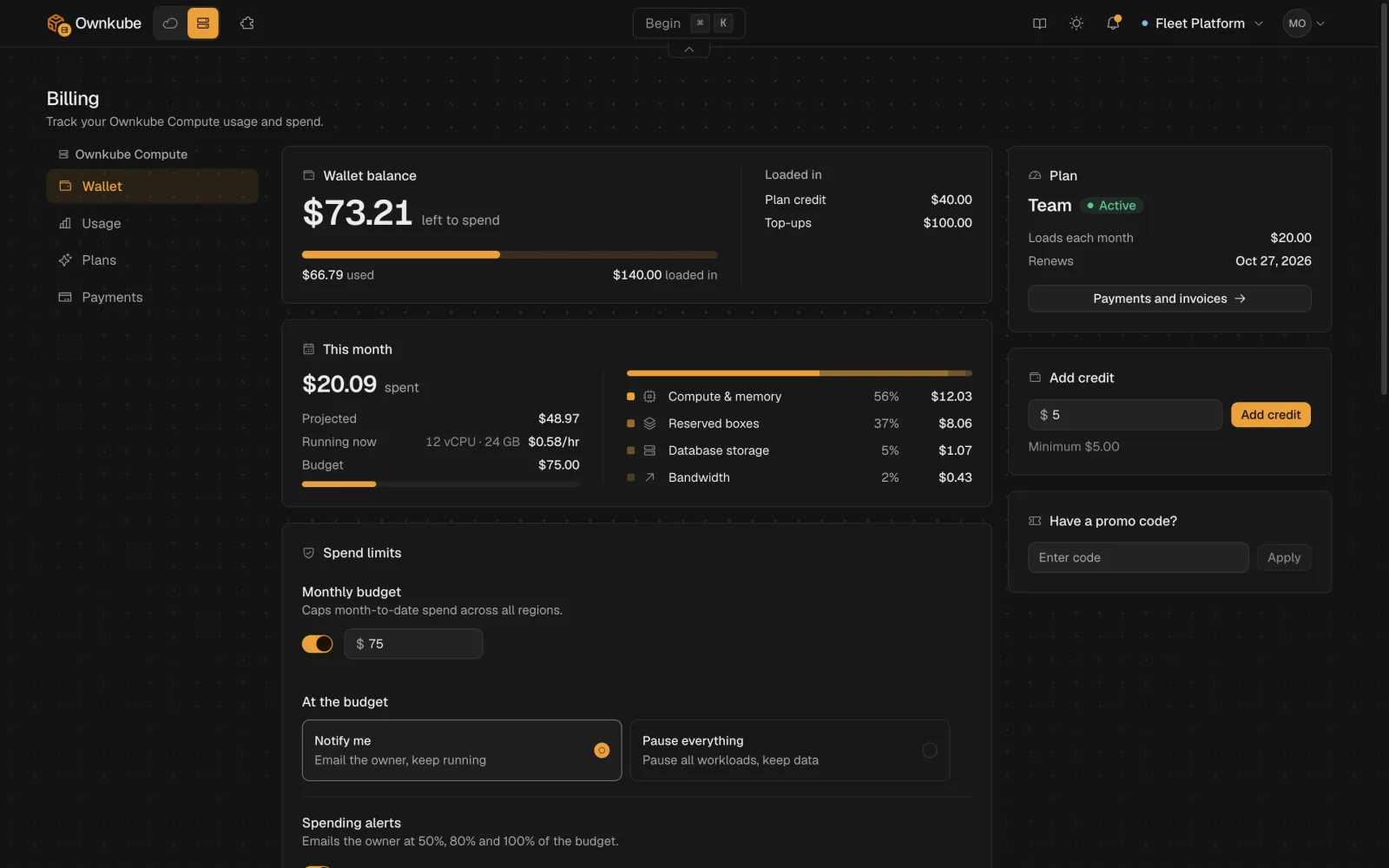
Your prepaid balance, this month's burn and your spend limits now sit together on one Billing page.
The Wallet balance card is the credit left to spend. Below it, This month shows what is running now, the projected total for the month and your budget. Top up from the Add credit card on the same page.
Usage and the walletMore in this release
- Move a cache to a bigger box. Resize a cache from Settings without recreating it. It restarts briefly during the move.
- See where your bandwidth went. The bandwidth line on Usage splits outbound traffic three ways: what apps send to visitors, what they send to other services, and what public databases and caches send out.
- The dashboard reacts the moment you click. Start, stop, rollback and other app actions update the dashboard as soon as you click, and it stays in step with what is running.
- A pg_ name is refused before it strands a database. A database or owner name that Postgres reserves, such as one starting with `pg_`, now shows an error in the deploy flow instead of leaving the database stuck provisioning.
- The top bar stays opaque on scroll. Page content no longer shows through the navigation bar as you scroll.