
Usage and the wallet
The Billing page shows what you have, what you are burning right now, and where the month is heading. Everything on it draws from one prepaid wallet, so there is a single number to watch.
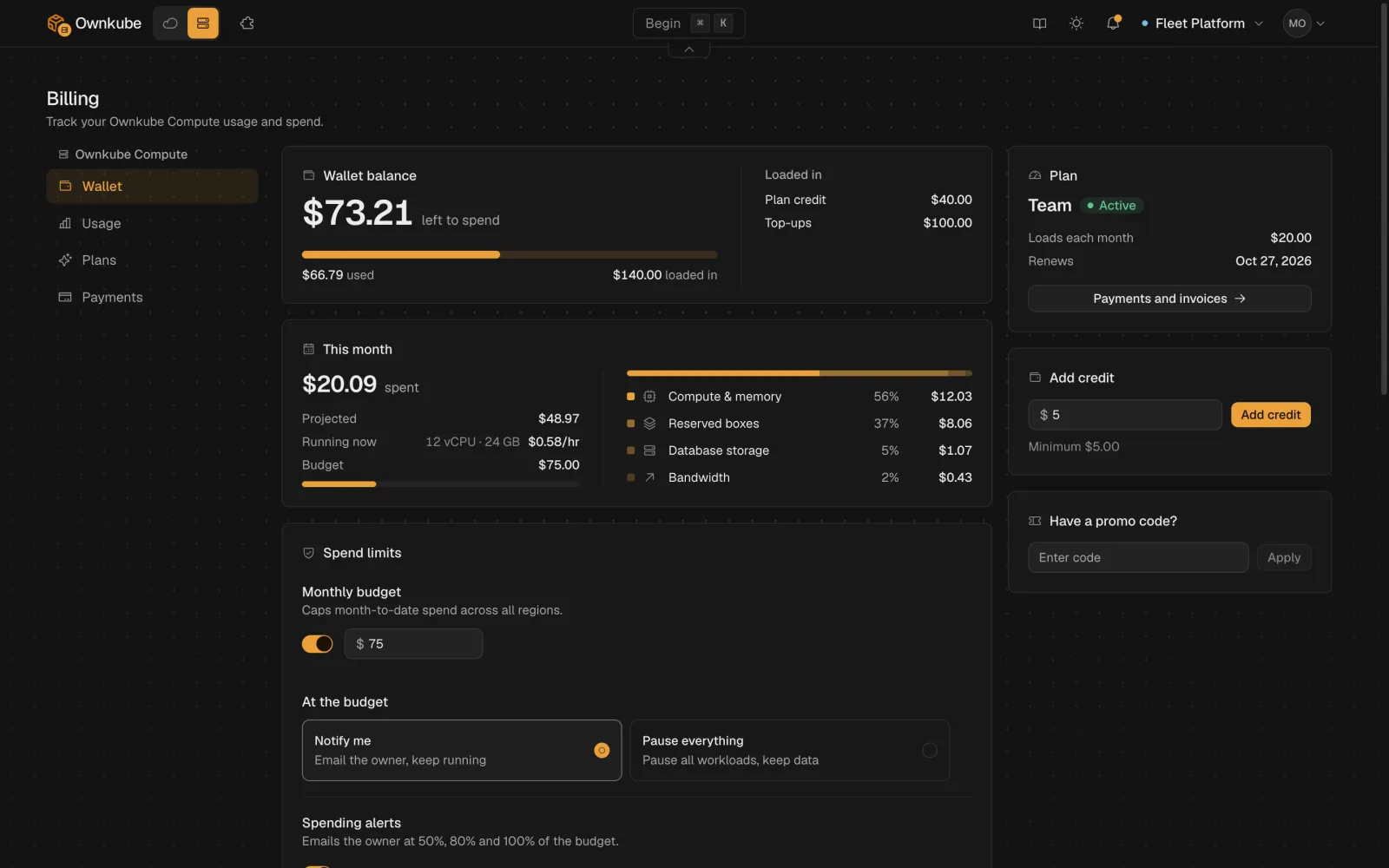
Wallet balance and this month
Section titled “Wallet balance and this month”The Wallet balance card is the credit left to spend. Below it, This month shows three figures:
| Figure | What it means |
|---|---|
| Running now | The hourly burn rate of everything running at this moment. Scale something down and it drops within minutes. |
| Projected | Month-to-date spend extended in a straight line to the end of the month. |
| Budget | The monthly cap from spend limits, if you set one. |
Top up from the Add credit card on the same page. On a plan the wallet also loads automatically on each billing cycle, and unused credit rolls over. See How the wallet works.
Usage lines
Section titled “Usage lines”The Usage section breaks the month into the lines you are billed for. Each row shows the quantity so far and its cost.
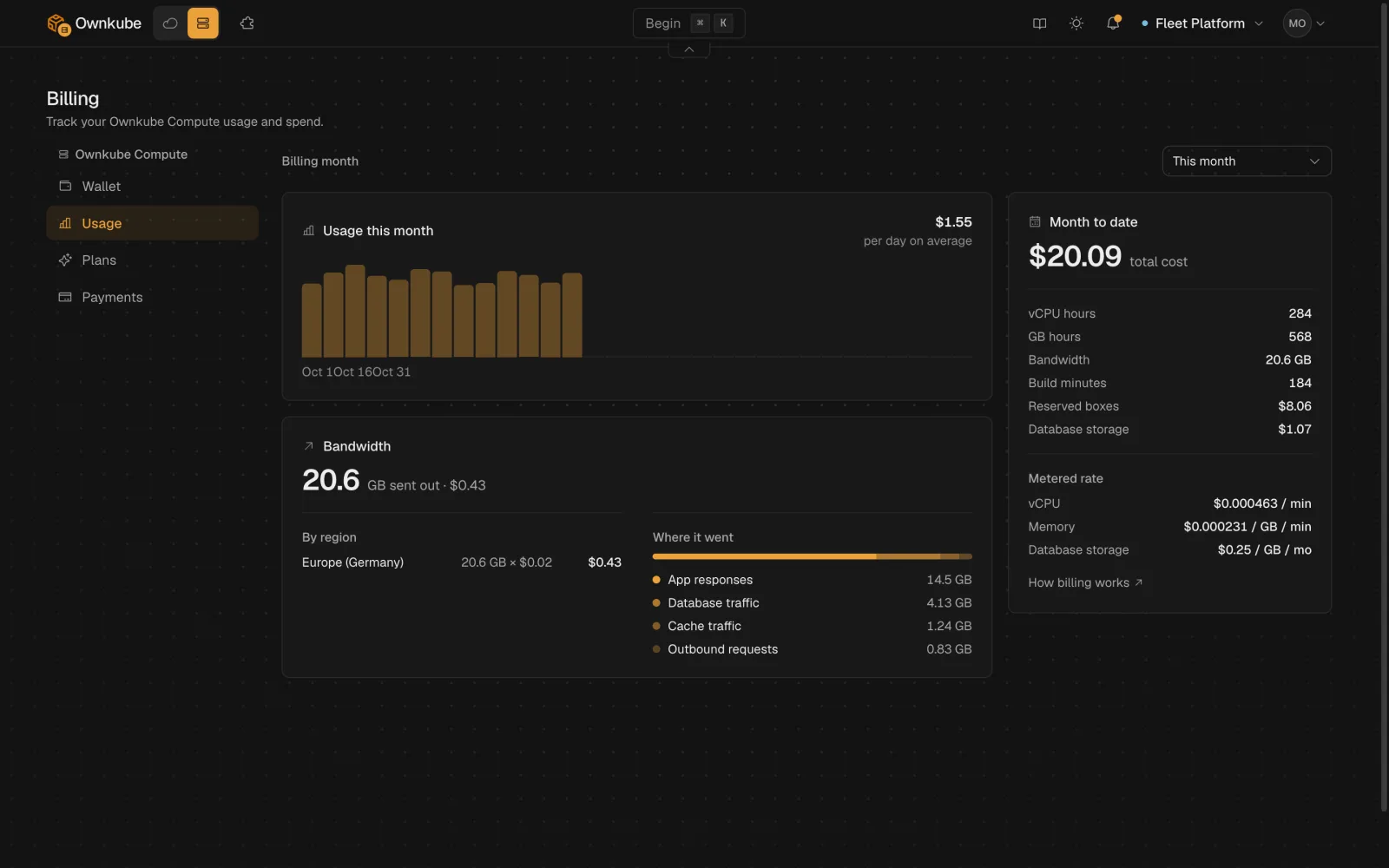
| Line | Unit | Notes |
|---|---|---|
| vCPU hours | vCPU-hours | Metered on actual CPU use, per minute, for apps on the meter. |
| GB hours | GiB-hours | Metered on the memory working set apps hold. |
| Reserved boxes | box-hours | Flat-priced Spark, Core, database and cache boxes, billed while they run. |
| Database storage | GB-months | Per-GB storage held by your databases, including standby replicas. |
| Build minutes | minutes | Source builds, with the plan allowance deducted first. |
| Bandwidth | GB | Outbound traffic at the region’s rate, split into what apps send to visitors, what they send to other services, and what public databases and caches send to external clients. |
The Usage history chart underneath plots daily spend for the month, and shows “No usage recorded yet this month” until the first metered minute lands. Rates for every line are on Plans and pricing.
From the terminal
Section titled “From the terminal”okctl usage prints the same figures for scripts and coding agents.
okctl usage current # live hourly burn rateokctl usage month-to-date # spend so far this month, by lineokctl usage projected # straight-line projection for the monthokctl usage history # daily points; add -o json for full detailokctl billing wallet # prepaid wallet balanceTo add credit or change plan without opening the dashboard:
okctl billing top-up 10 # opens a checkout for a $10 top-upokctl billing subscribe personal # or teamokctl billing portal # payment methods and invoicesokctl billing redeem <code> # apply a promo codeAdd --no-browser to any checkout command to print the URL instead of opening it.
Who sees the bill
Section titled “Who sees the bill”Billing is organization-wide. The organization owner pays and gets the alert and suspension emails. On Team, admins can also open the Billing page and manage payment; see Organizations. Own-cloud clusters bill separately, on their own section of the same page, and your AWS bill stays with AWS.