
Roll a database back to any moment, and choose your address
Release 10 Jul 23 to 29
Ran the wrong migration against production? A managed Postgres database can now be backed up continuously and restored to the minute before it happened. New GitHub apps on a Starter cluster build on that cluster with your own build arguments, and you can swap the random public address for one you pick.
Undo a bad migration with point-in-time recovery
Turn on automated backups for a managed Postgres database, then restore it to any moment inside the recovery window.
Backups are off by default. Turn on Automated backups on the database's Settings tab and Ownkube takes a weekly base backup and streams every change continuously, so you can restore to any moment in the last 7 days. Backups are encrypted. On a Starter cluster they are archived to an S3 bucket in your AWS account.
Turning backups on or off restarts the database briefly. To restore, open Point-in-time recovery on the Settings tab, pick a timestamp inside the window and confirm. The database goes offline while it is rebuilt, which can take a few minutes, and the rebuild is recorded on the Activity tab.
Postgres docsBuild on your own Starter cluster, with build arguments
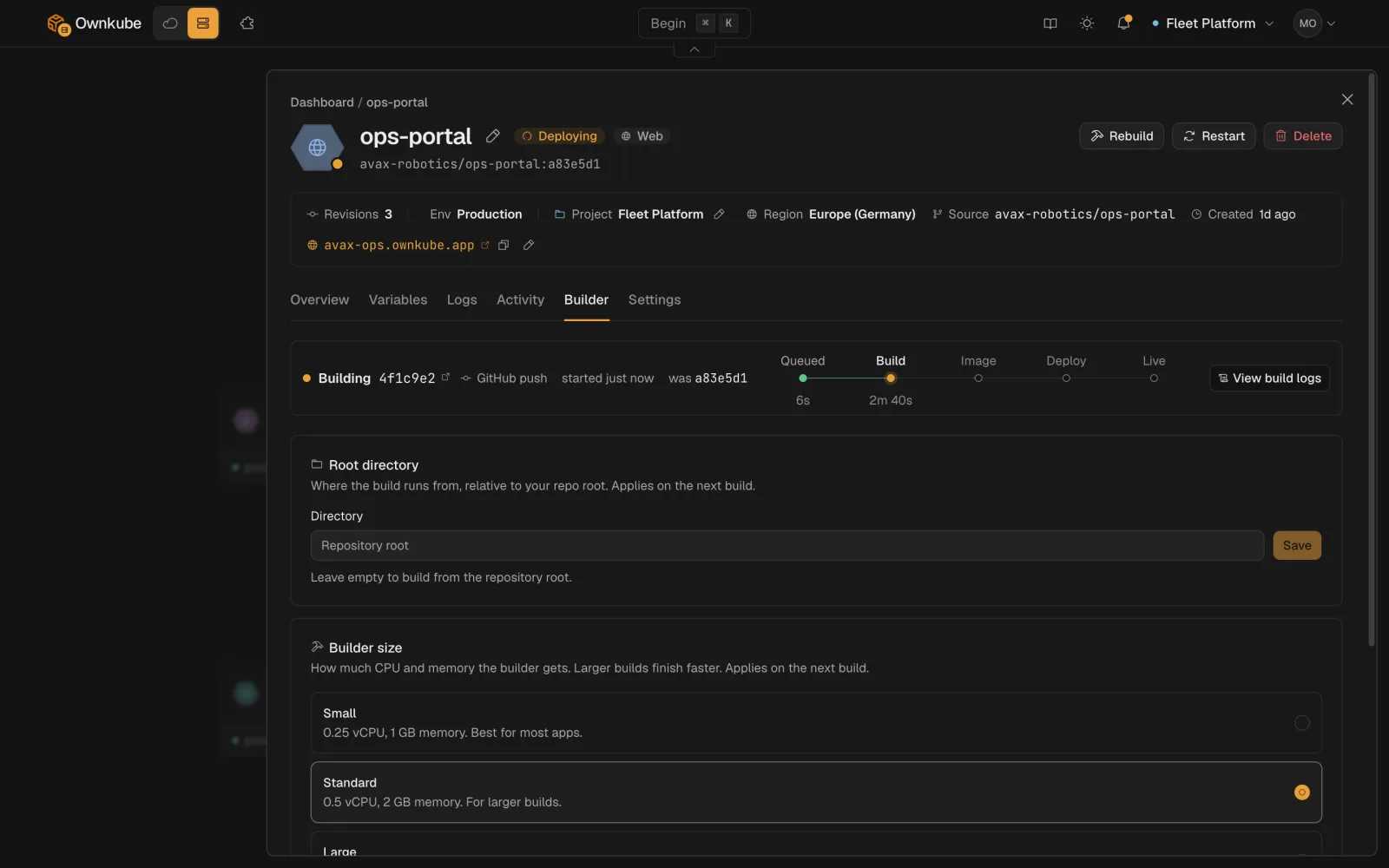
New apps you deploy from GitHub to a Starter cluster build on that cluster. Build logs stay readable after the build finishes, and you can set custom build arguments. Apps you already deployed keep building as they do today.
Build arguments are KEY=value pairs passed to the build as Docker build arguments. Use variables for anything the running app needs, because build arguments are only visible at build time.
Swap the random address for a name you pick
Replace the generated <name>-<suffix> address with one of your own. If the name you want is taken, Ownkube suggests free alternatives.
Open the deployment's Overview tab and click Edit next to the hostname, type a new subdomain and save. Ownkube checks availability as you type. The new hostname is live within a minute and the old one stops resolving, so update anything that linked to it.
Public hostnames docsMore in this release
- Graviton instances for Starter clusters. Choose Intel or Arm (Graviton) instances when you create a Starter cluster. Images for that cluster build for the matching architecture.
- Errors appear on the field, not in a toast. Create and save errors show in the form instead of in a toast after it closes. Ports, resource quantities and variable names are checked before you submit, and a mistyped public image is rejected up front.
- A degraded app names the reason. A degraded deployment shows the cause, such as `ImagePullBackOff` or `CrashLoopBackOff`, in its status and on the failed revision in rollout history.
- Long log lines wrap properly. Log lines wrap without cutting words and wrapped text stays under its message. Error and warn lines get a level marker, and expanding a line shows the fields your app logged.
- Copy the name a confirmation asks you to type. Destroying a cluster and recovering a database ask you to type the resource name. There is now a button to copy it.
- A countdown on long waits. Creating a cluster, a build or a rollout shows an approximate countdown, and says "any moment now" once it runs past the estimate.