
A managed Valkey cache, and paste your whole .env in one go
Release 12 Aug 6 to 12
Managed Valkey caches are here, so sessions and queues get a Redis-compatible store next to the app. The Variables tab now takes a whole .env file in one paste, so nobody types keys in one at a time. And an app can deploy from whichever branch you point it at.
A Redis-compatible cache next to your app
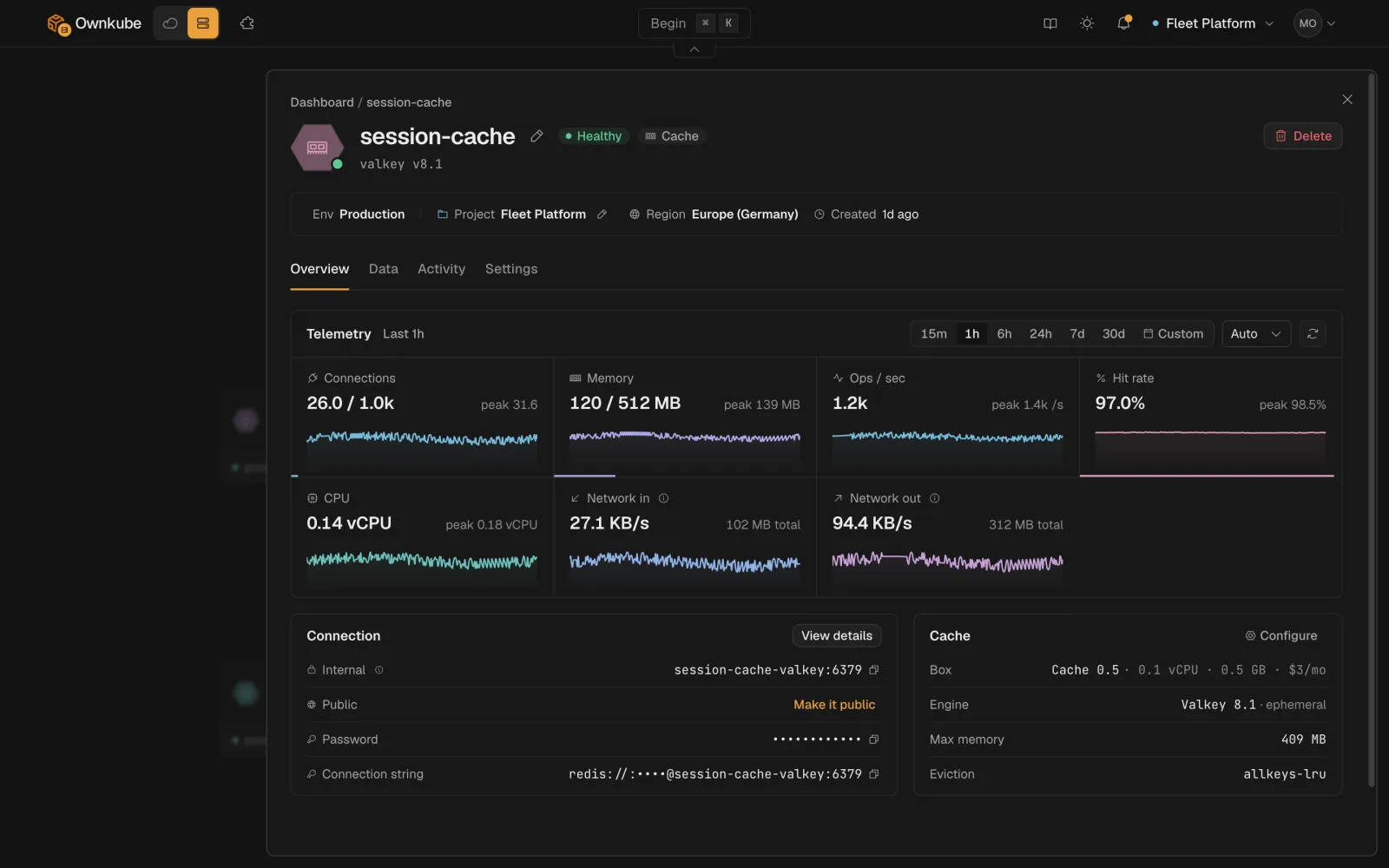
Managed Valkey, with the connection details ready to copy. Any Redis client connects to it unchanged.
Any Redis client connects to it unchanged. Its Overview tab shows connections, memory, operations per second and hit rate.
Valkey docsPaste your .env, get every variable
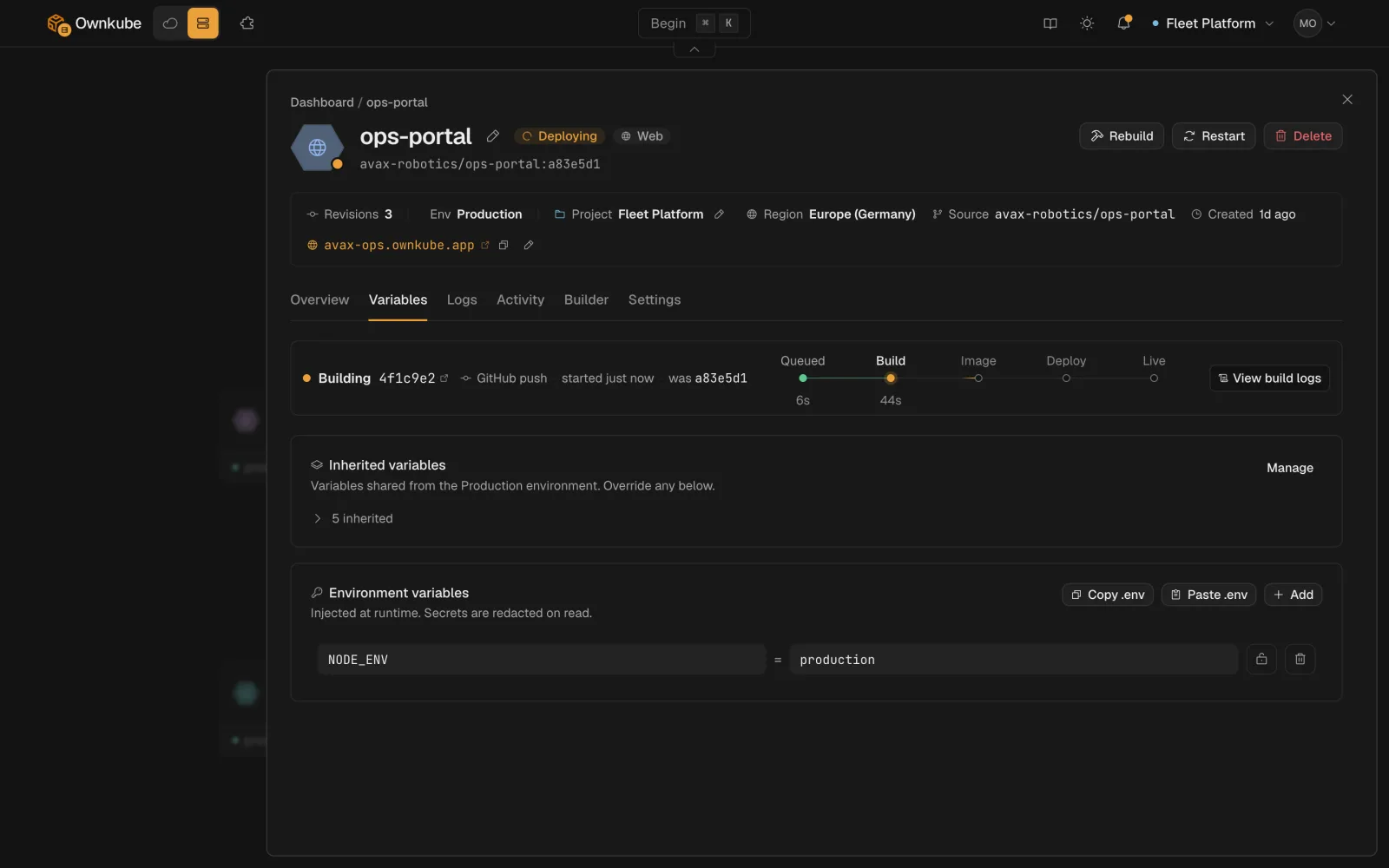
Add every variable from a .env file in one step, in the deploy flow or on an app's Variables tab. The file itself stays out of your repo.
Use Paste .env on the Variables tab, or add KEY=value pairs one at a time. Either way the .env file stays out of your repo.
Ship a feature branch without touching main
Pick the branch in the deploy flow. Every push to it builds and deploys, and your default branch stays where it is.
Create a deploymentMore in this release
- Keys from your .env.example, values from you. When a repo ships a `.env.example`, the deploy flow offers its keys ready for you to fill in.
- Preview a pasted .env before it lands. Pasting a `.env` file shows a key and value preview first, with secret values hidden until you reveal them.
- Build one folder of a monorepo. Set a root directory on the Builder tab and the build, language detection included, runs from that folder.
- Worker groups, and every node on one page. Add a named worker group with its own labels, taints and instance types, then point an app at it from its settings. The cluster page lists every node with its labels and taints.
- Reach a cache from your laptop. Turn on Public access in a cache's Settings for a stable hostname and a TLS-encrypted `rediss://` connection string.
- Error messages without the plumbing. Failed provisioning and status messages read as plain errors, without internal addresses or tooling names.