
Variables
Variables are how configuration reaches your container. Each deployment has its own on the Variables tab, every deployment in an environment inherits the environment’s shared variables, and linking a database or cache adds its connection string as a secret.
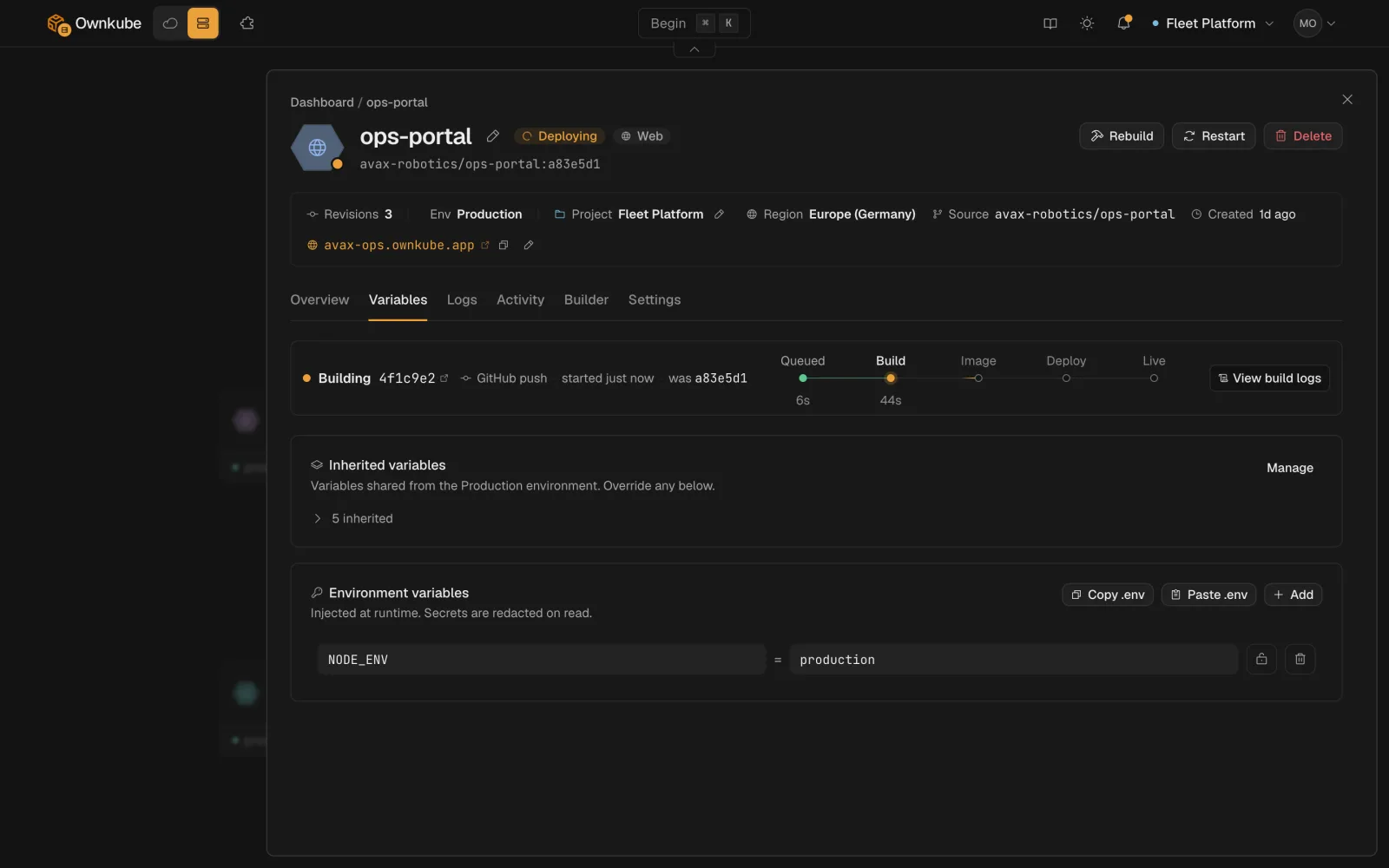
Three kinds of variable
Section titled “Three kinds of variable”| Kind | Where it is set | Who sees the value |
|---|---|---|
| Plain | The deployment’s Variables tab | Anyone in the organization, in the UI and the activity diff |
| Secret | Same tab, with Secret on | Masked in the UI, redacted from logs and diffs; the container gets the real value |
| Shared | The environment’s page | Every deployment in the environment, unless the deployment sets the same key itself |
A deployment’s own variable always wins over a shared one with the same name.
Set a variable on a deployment
Section titled “Set a variable on a deployment”-
Open the Variables tab
From the deployment’s page, open Variables.
-
Add or edit
Add
KEY=valuepairs one at a time, or paste a block in.envformat to add several at once. Keys are shell identifiers: letters, numbers and underscores, not starting with a number. -
Mark secrets
Turn on Secret for passwords, tokens and keys.
-
Save
Saving creates a revision and rolls the deployment out with the new values. Nothing changes in the running container until the rollout completes.
From the terminal, okctl deploy update takes the same variables; see CLI commands.
Shared variables on an environment
Section titled “Shared variables on an environment”Set a variable once for a whole stage, such as LOG_LEVEL=info on Production or NODE_ENV=development on Development.
-
Open the environment
Go to Settings, open Environments, and pick the environment. Its page lists the deployments in it and its shared variables.
-
Add shared variables
Add keys the same way as on a deployment, with Secret where needed. Save.
-
Roll out
Every deployment in the environment picks up the change on its next rollout. Deployments that set the same key keep their own value.
The CLI equivalent is okctl environments set-env, which replaces the environment’s shared set.
Variables Ownkube sets for you
Section titled “Variables Ownkube sets for you”Linking a database or cache to an app adds its connection details as secret variables on the app. For Postgres:
DATABASE_URL=postgresql://user:pass@host:5432/dbnamePGHOST=...PGPORT=5432PGUSER=...PGPASSWORD=...PGDATABASE=...For Valkey:
REDIS_URL=redis://default:password@host:6379REDIS_HOST=...REDIS_PORT=6379REDIS_PASSWORD=...Link from the app’s page or with okctl deploy link <app-id> <datastore-id>. The variables are private-network addresses; they are not reachable from outside Ownkube. See Private networking.
How secrets are stored
Section titled “How secrets are stored”Secret values are encrypted at rest, delivered to the container through the runtime’s secret store, and never written to logs or the activity diff. Saving a secret with a blank value keeps the stored value, so you can edit other fields without re-entering it. Members can set and edit variables; revealing a database password needs an owner or admin. See Security.
Build-time values
Section titled “Build-time values”Variables reach the running container, not the build. For a value the build needs (a private package registry token, a public API URL baked into a front end), use Build arguments on the Builder tab. See Builds and source.
Good practice
Section titled “Good practice”- Keep secrets as secrets, including anything you would not paste into a public issue.
- Use shared variables for what a stage has in common, and deployment variables for what is specific to one app.
- Keep names and values small. Mount large configuration as a file in the image instead; values are limited to a few kilobytes.
- Never commit
.envfiles. The.envpaste box exists so you do not have to.