
Shell into your apps, and the Marketplace
Release 13 Oct 8 to 14
You can now open a terminal on a running app, from the browser or from your own machine. The Marketplace launched the same week.
Open a shell from the dashboard
The Shell action on a web app or worker opens a terminal on a running instance.
Shell and SSH are available on Ownkube Compute to organization owners and admins.
Shell and SSH docsSSH into your apps with okctl ssh
Open a shell or run one command, and use plain ssh, scp and sftp after okctl ssh config.
The first run generates an SSH key if you have none and adds the public key to your account. Run okctl ssh config once and ssh, scp and sftp reach your apps by name.
$ okctl ssh <deployment-id> -- python manage.py migrate Shell and SSH docs Deploy apps from the Marketplace
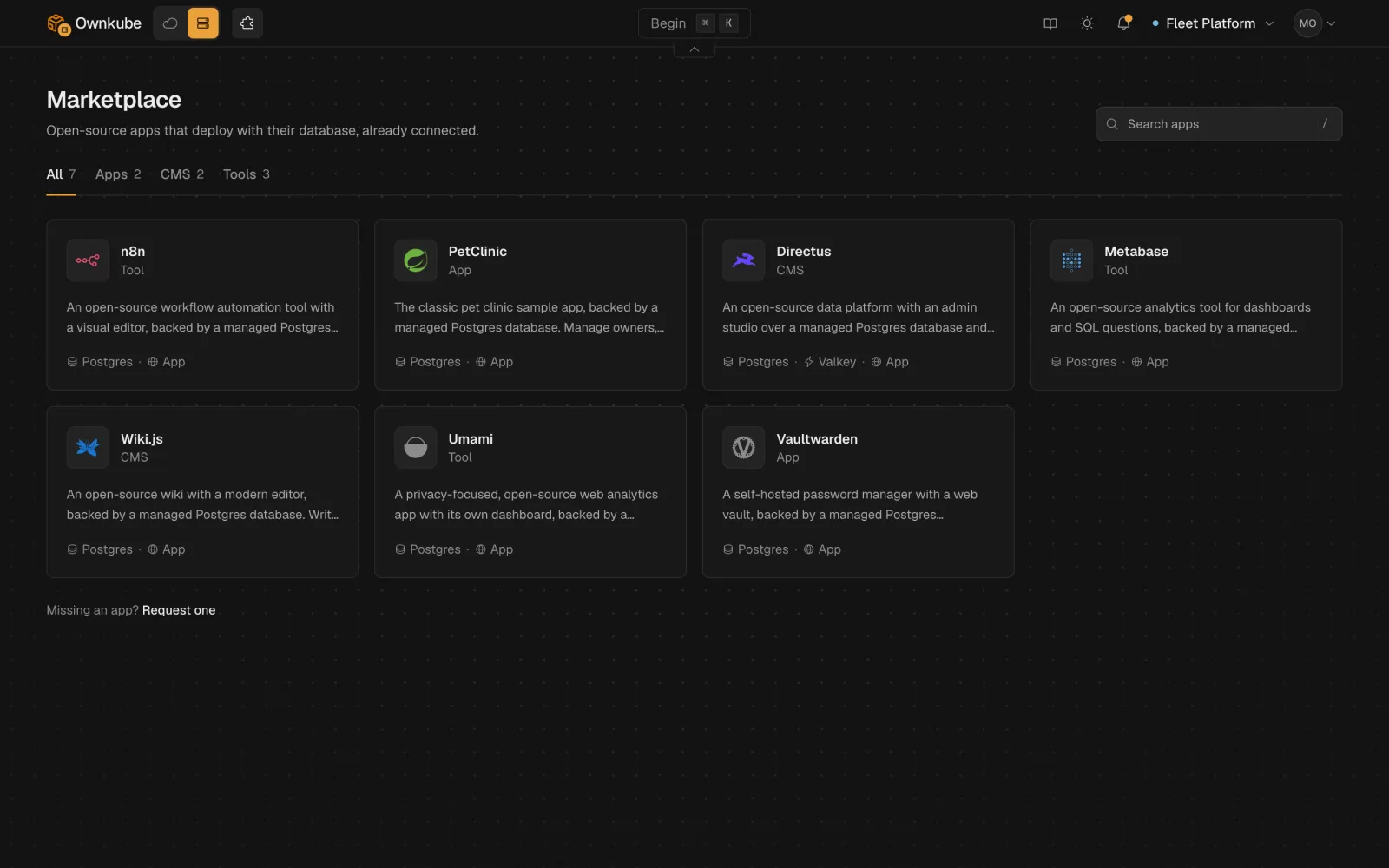
Install n8n, Metabase, Umami and more in one step.
One install creates the app, a managed Postgres database where the app uses one, and a public ownkube.app address with TLS. Ownkube sets the variables and generates the secrets.
Marketplace docsMore in this release
- okctl connect for databases and caches. Opens psql or valkey-cli, or a private tunnel to a local port for GUI clients.