
Marketplace
The Marketplace is a catalog of ready-made apps you deploy in one click. One install creates everything the app needs to run: the app itself, a managed Postgres database wired into it where the app uses one, and a public *.ownkube.app hostname with automatic TLS. There is no Dockerfile to write and no connection string to copy. Ownkube sets the variables, generates the secrets and starts the pieces in the right order.
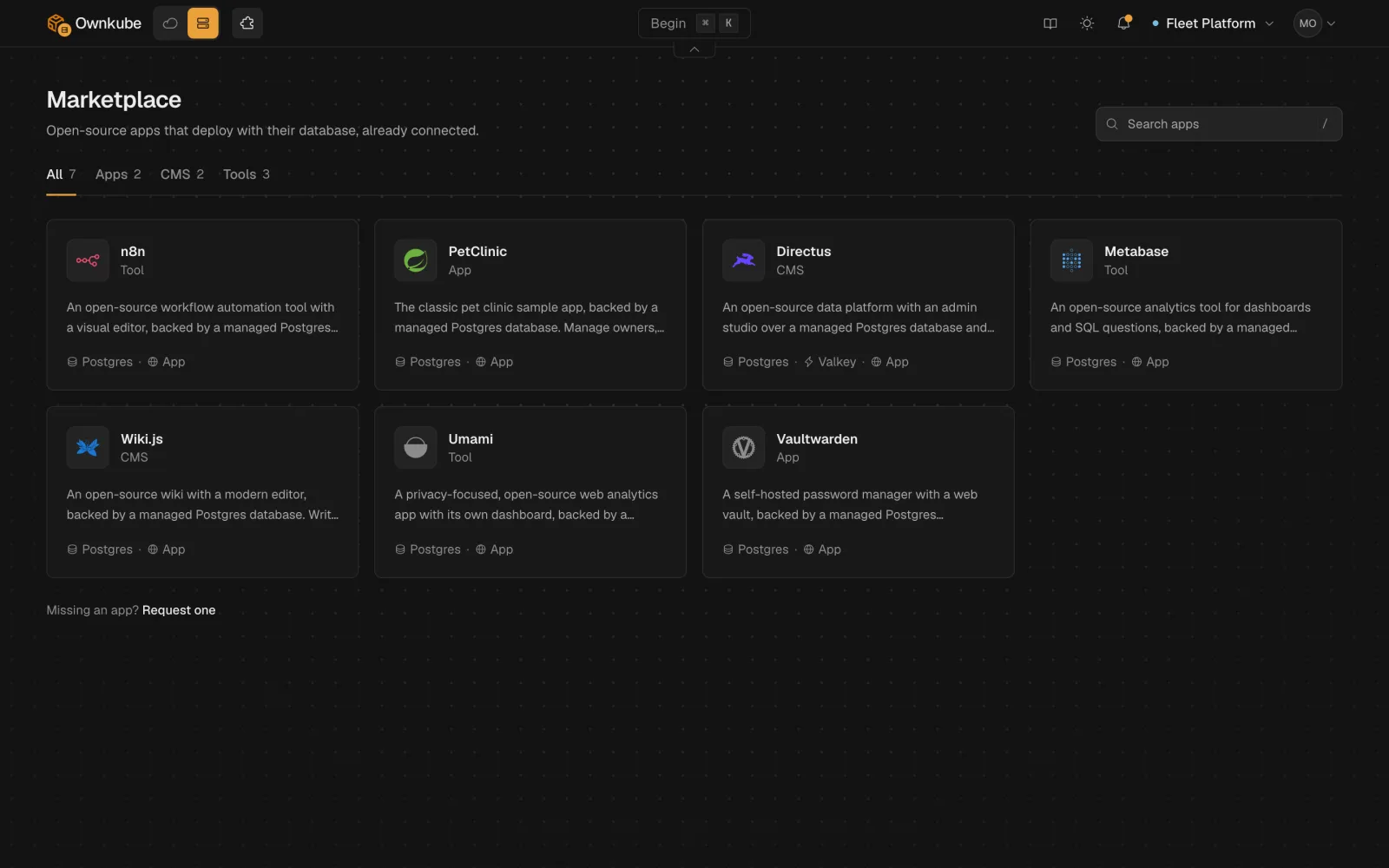
Every app runs from its official upstream image, pinned to a tested version. You can browse the catalog publicly at ownkube.io/templates.
The catalog
Section titled “The catalog”| App | What it is | What one install creates |
|---|---|---|
| n8n | Visual workflow automation | n8n web app, managed Postgres 17 |
| Spring PetClinic | The classic Spring sample app, seeds sample data on first start | PetClinic web app, managed Postgres 17 |
| Directus | Admin data studio with an instant REST and GraphQL API | Directus web app, managed Postgres 17, managed Valkey cache |
| Metabase | Analytics dashboards and questions over your data | Metabase web app, managed Postgres 17 |
| Wiki.js | Wiki with Markdown and visual editors | Wiki.js web app, managed Postgres 17 |
| Umami | Privacy-first, cookie-free web analytics | Umami web app, managed Postgres 17 |
| Vaultwarden | Password manager that works with Bitwarden clients | Vaultwarden web vault, managed Postgres 17 |
| Gitea | Git hosting with issues and pull requests, clone and push over HTTPS | Gitea web app with a volume for repositories, managed Postgres 17 |
| Forgejo | Community-run Git hosting, a Gitea fork | Forgejo web app with a volume for repositories, managed Postgres 17 |
| Grafana | Dashboards and alerting over metrics, logs and SQL | Grafana web app, managed Postgres 17 |
| Uptime Kuma | Uptime checks, alerts and public status pages | Uptime Kuma web app with a volume for its data (no separate database) |
| NocoDB | Spreadsheet-style tables, forms and kanban views with a REST API | NocoDB web app with a volume for attachments, managed Postgres 17 |
| DocuSeal | Fillable PDF forms and e-signatures | DocuSeal web app with a volume for documents, managed Postgres 17 |
| Open WebUI | Chat interface for language models, bring an OpenAI-compatible API | Open WebUI web app with a volume for uploads, managed Postgres 17 |
Every web app gets a public hostname with automatic TLS. Databases and caches stay on the private network, reachable only from the app.
Directus is the one app that asks for something before it deploys: the email for its first admin account. Ownkube generates the password, and you can reveal it on the deployment afterwards.
Deploy from the dashboard
Section titled “Deploy from the dashboard”-
Open the Marketplace
Click Marketplace in the dashboard’s top navigation, or press ⌘ K and search for an app. The catalog lives at
app.ownkube.io/dashboard/marketplace. -
Pick an app
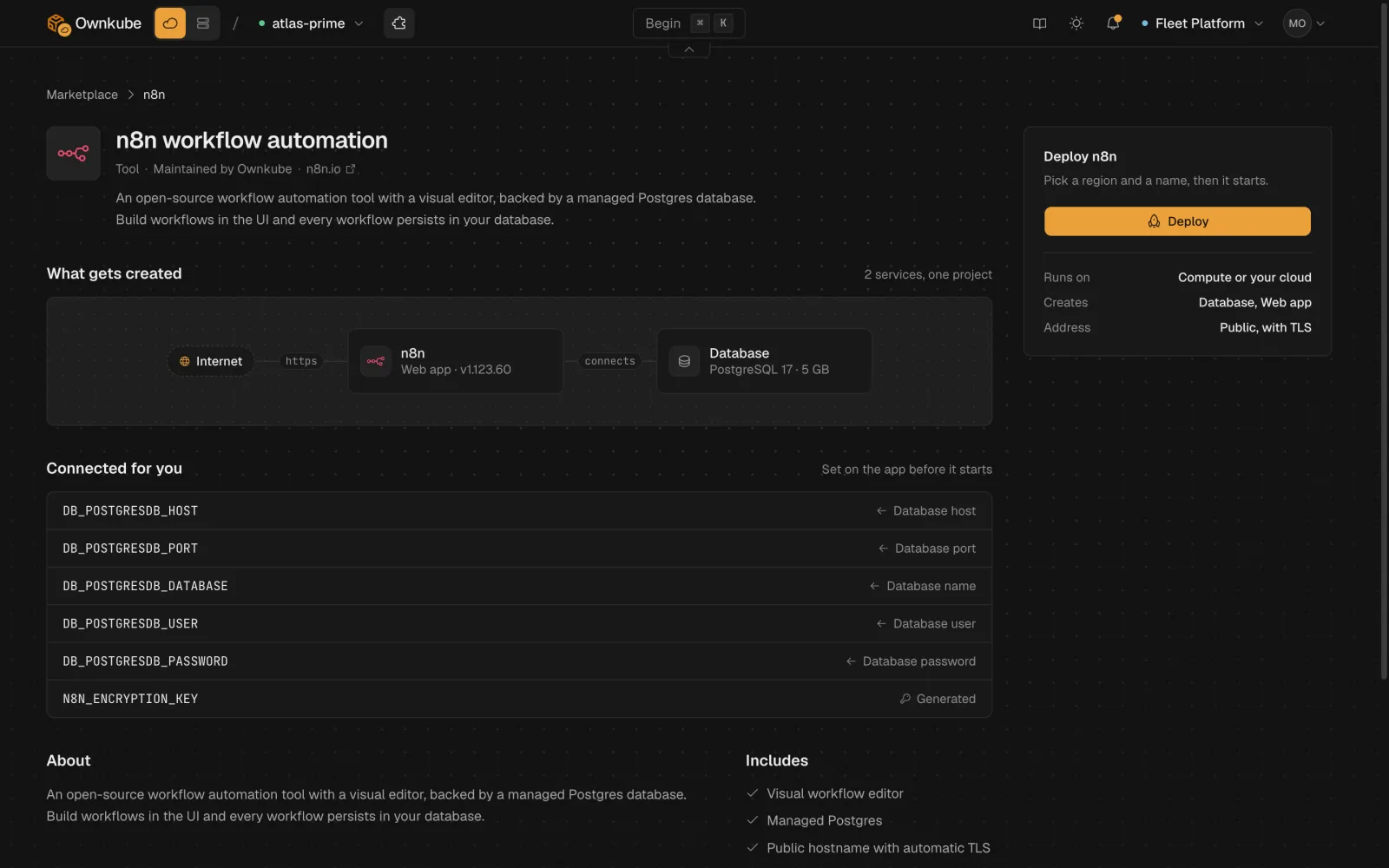
Each app’s page shows what one install creates, the variables Ownkube sets for you and the inputs it collects. Click Deploy.
-
Fill in the deploy flow
The flow opens in place. It asks for any inputs the app needs and where to run it: an Ownkube Compute region, or a cluster in your own AWS account.
-
Deploy
Ownkube creates the database (and cache, if the app has one), then the app, and wires them together. Follow progress on the dashboard. When the app is healthy, open its hostname.
The Deploy button on each ownkube.io/templates page links straight into this flow. If you’re signed out, you sign in first and land back on the dashboard with the flow open.
Deploy from a coding agent or the CLI
Section titled “Deploy from a coding agent or the CLI”The Ownkube MCP server exposes the Marketplace as tools, so a connected coding agent can deploy an app for you.
| Tool | What it does |
|---|---|
list_marketplace_apps | List the catalog |
get_marketplace_app | One app’s details: what it creates, the variables set for you and the inputs to collect |
check_marketplace_app | Dry run: validate the inputs and name without creating anything |
deploy_marketplace_app | Deploy the app with its database and cache in one call, to an Ownkube Compute region or your own clusterId |
delete_marketplace_app | Delete a deployed app as one unit |
A typical request: “Deploy Umami on Ownkube in the closest region.” The agent reads the app, runs the dry run, deploys and follows progress until the app is healthy. Tools that create or delete ask you to confirm first.
The same operations are okctl marketplace list|get|check|deploy|delete in okctl v0.4.0 and later. See CLI commands.
One install, one app
Section titled “One install, one app”An install shows as one app on the dashboard, with its database and cache grouped under it. You manage the pieces like any other deployment: logs, metrics, variables and scaling all work the same way.
Deleting it removes the app, its database and its cache together.