
Open a shell on a running app, from the browser or ssh
Release 20 Oct 8 to 14
Sometimes you need to be inside the container. You can now open a terminal on any running app, from a button in the dashboard or from plain ssh on your own machine. The Marketplace launched the same week: n8n, Metabase or Umami with a database and a public address in one step.
A terminal, one click from the app page
The Shell action on a web app or worker opens a terminal on a running instance, right in the browser.
Shell and SSH are available on Ownkube Compute to organization owners and admins.
Shell and SSH docsPlain ssh, scp and sftp to any app
okctl ssh opens a shell or runs one command. After okctl ssh config, the ssh, scp and sftp you already have reach your apps by name.
The first run generates an SSH key if you have none and adds the public key to your account. Run okctl ssh config once and ssh, scp and sftp reach your apps by name.
$ okctl ssh <deployment-id> -- python manage.py migrate Shell and SSH docs The Marketplace: n8n, Metabase, Umami in one step
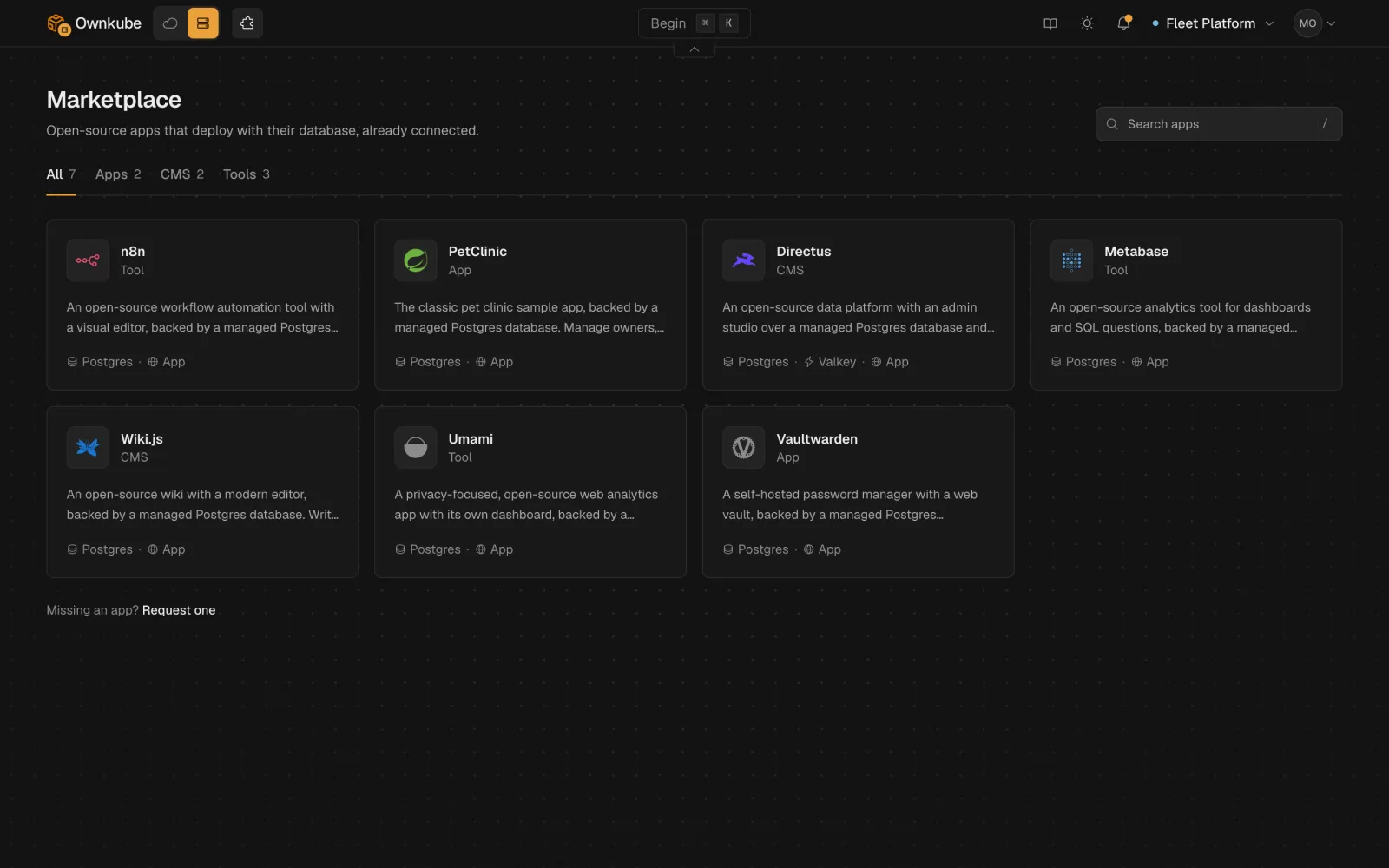
Pick an app and Ownkube creates it, adds a managed Postgres where it needs one, generates the secrets and gives it a public address with TLS.
One install creates the app, a managed Postgres database where the app uses one, and a public ownkube.app address with TLS. Ownkube sets the variables and generates the secrets.
Marketplace docsMore in this release
- psql or valkey-cli in one command. `okctl connect` opens psql or valkey-cli on a database or cache, or a private tunnel to a local port for your GUI client.
- Who restarted it, and when. The Revisions tab is now Activity, a timeline of revisions plus restarts, renames and moves, each with the person who made it.
- Rollback no longer offered on databases and caches. A database or cache revision is a settings snapshot. Rolling one back could have handed your data an old engine version or size, so the option is gone.
- Saving settings no longer breaks the next rollout. Saving an app's settings on Compute no longer leaves the next rollout unable to pull its image.
- Connecting a coding agent while signed out. Signing in halfway through an MCP connection now brings you back to the approval screen instead of a 404.
- Hover a timestamp for UTC and region time. Any timestamp shows local, UTC and region time on hover, and you can copy a time zone or the Unix seconds.