
One-click n8n, Directus and Vaultwarden, and shared variables
Release 05 Jun 17 to 24
Want n8n running by lunch? Templates put a working app online in one click, Postgres connected. Variables can now be set once for a whole environment instead of app by app, and creating a cluster lets you pick its version and instance size.
n8n, Directus or Vaultwarden, running in one click
Pick a template and the app comes up with Postgres already connected.
Pick the version and instance size for a new cluster
Choose both when you create a cluster, with an AWS quota check up front so you find out before the launch fails.
Set LOG_LEVEL once for the whole environment
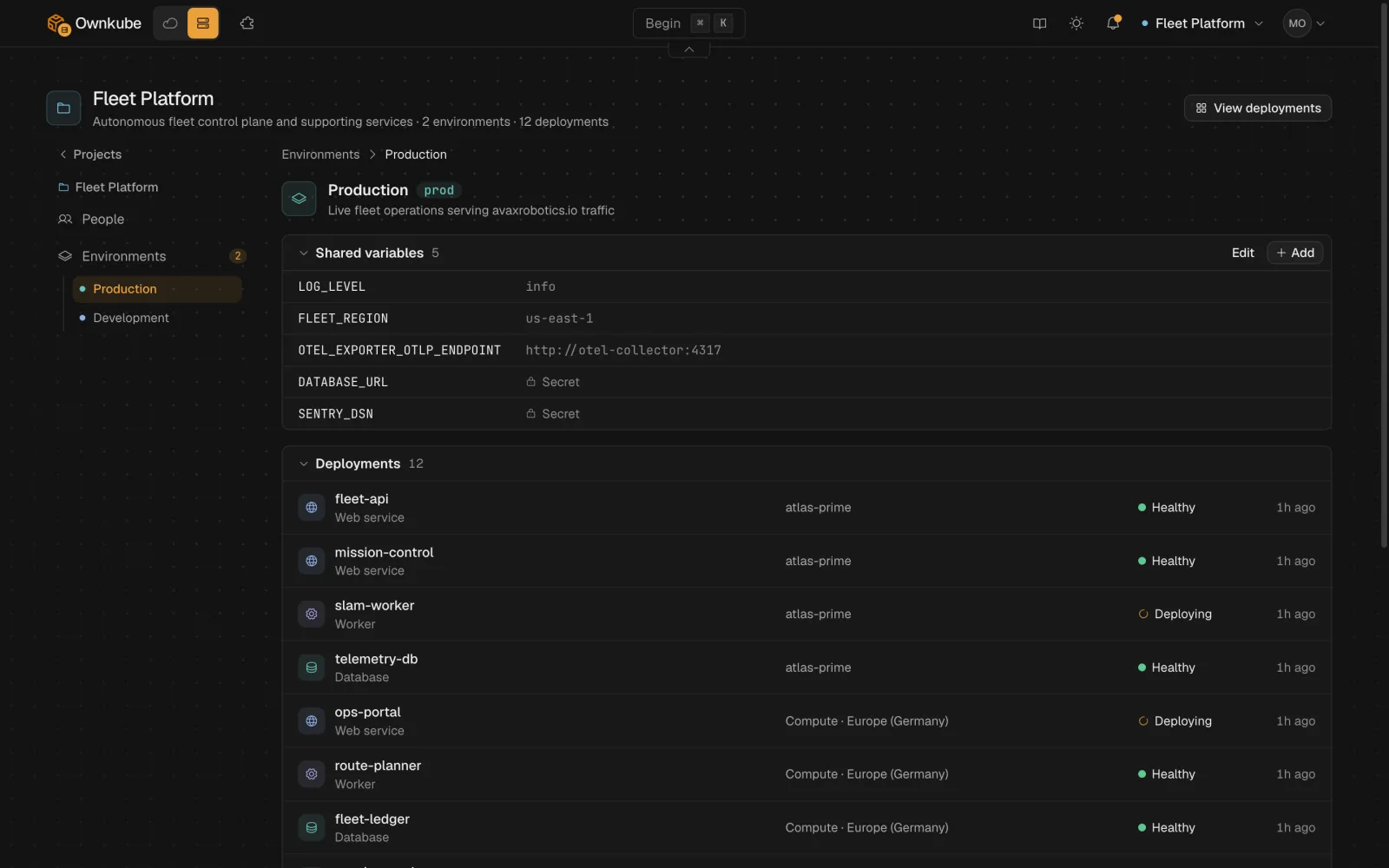
Variables on an environment flow to every deployment in it, and any app can override one of its own.
Go to Settings, open Environments and pick one to set its shared variables, such as LOG_LEVEL=info on Production. A deployment's own variable always wins over a shared one with the same name.
More in this release
- Home is a canvas you can pan and zoom. The list view is gone. Home now lays out your clusters and deployments on a canvas.
- Variables get their own tab. A deployment's Variables tab shows inherited variables read-only above its own. Settings folds into collapsible sections.
- Unsaved changes sit in a floating pill. Pending edits show as a floating pill with a Reset button instead of a banner.
- Reconnect an AWS account, or finish a half-done one. Reconnect an AWS account whose access stack was deleted, and pick up a half-finished connect from Cloud Accounts.
- An AWS Free plan gets a plain explanation. If your AWS account is on the Free plan and blocks the instance, cluster creation says so and points you to upgrade instead of showing a raw AWS error.
- Number fields no longer snap back. Clearing a CPU, memory or timeout field no longer jumps back to its old value while you type.