
Reset a database password, and see what's public at a glance
Release 06 Jun 25 to Jul 1
Lost a database password? Reset it from the dashboard. The home canvas gained an Internet node, so you can see at a glance which deployments are open to the world. And new organizations now come from the top navigation.
A new database password, and every linked app picks it up
Generate a new password for a database from the dashboard. Linked apps get the new value and roll out on their own.
Ownkube generates a new password, updates the secret variables on every linked app and rolls those apps out so they pick it up. Anything connecting over the public address with the old password stops working immediately.
Postgres docsA new organization from the top nav
Create one from the organization menu and you land in it straight away. Settings now keep the active organization's pages apart from your account pages.
Switch between organizations from the Organizations section of Settings, or from the organization menu at the top of the sidebar, and start a new one from the same place. The account sections (Profile, Organizations, SSH keys) belong to you and follow you across every organization you join.
Organizations docsSee which apps face the Internet
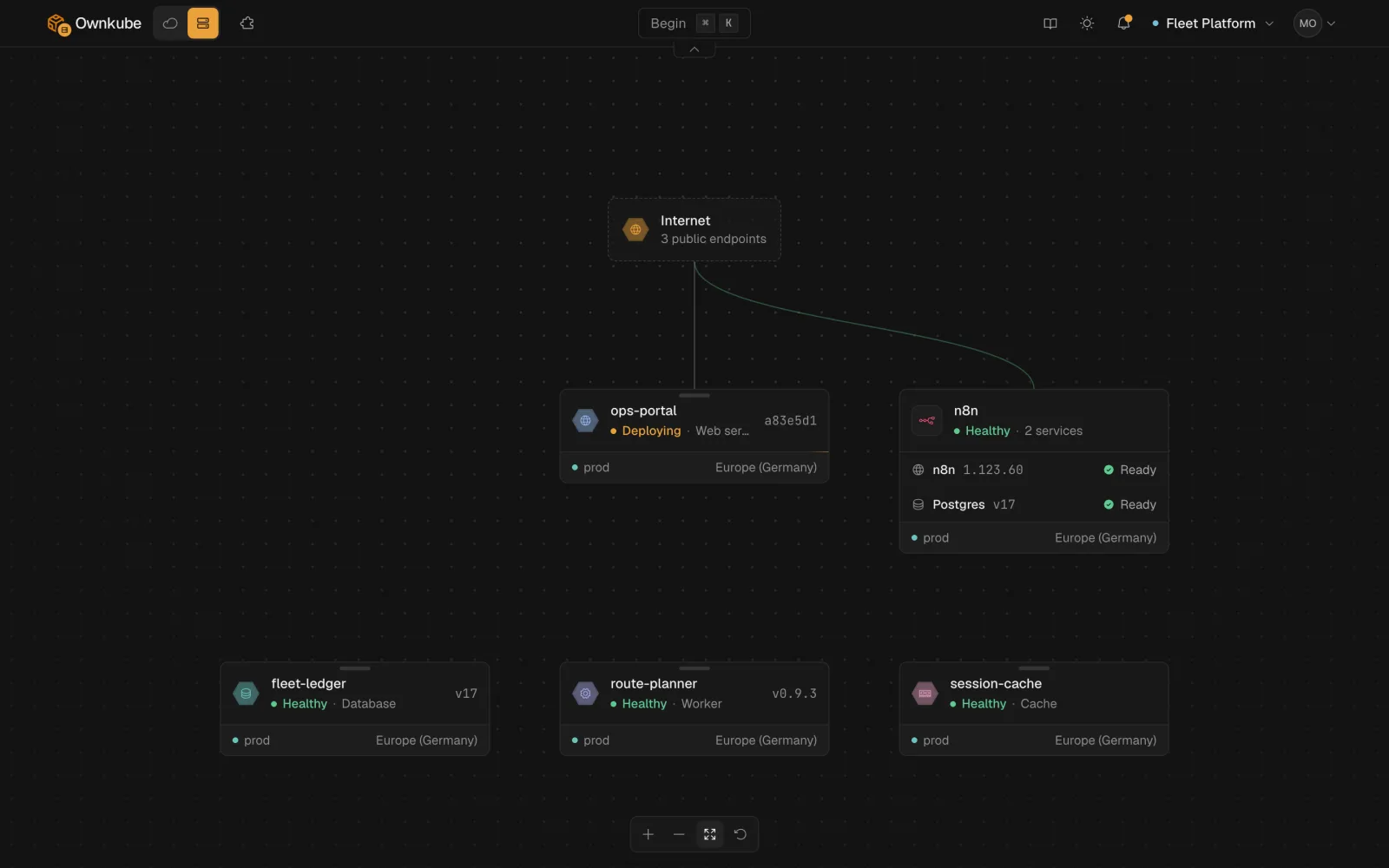
When any deployment is public, an Internet node appears on the home canvas with a line to each public app. With nothing public, there is no node.
More in this release
- Revisions show what changed, field by field. Each revision shows before and after for every field it touched, with secret values masked, instead of raw JSON.
- A Public pill on databases that are open. A database with public access on shows a Public pill on its page and peek card, with its host and port instead of a web address.
- Charts show a gap where data is missing. Lines break where there is no data instead of drawing across the hole, and the curves no longer overshoot.
- Variables line up, with copy buttons. Environment variables on a deployment's overview sit in aligned columns. Names and non-secret values each get a copy button.
- The dashboard stays put during a change. During a resync, update or delete the dashboard no longer drops back to onboarding, and progress while a cluster reconciles or tears down is quieter.
- No leftovers after switching organizations. Switching organizations reloads the page, so you never see cached data from the one you left.