
Health checks
Health checks tell Ownkube when a container is ready for traffic and when it needs a restart. They are what makes a rollout zero-downtime: new containers must pass before old ones stop, and a container that stops passing is taken out of rotation.
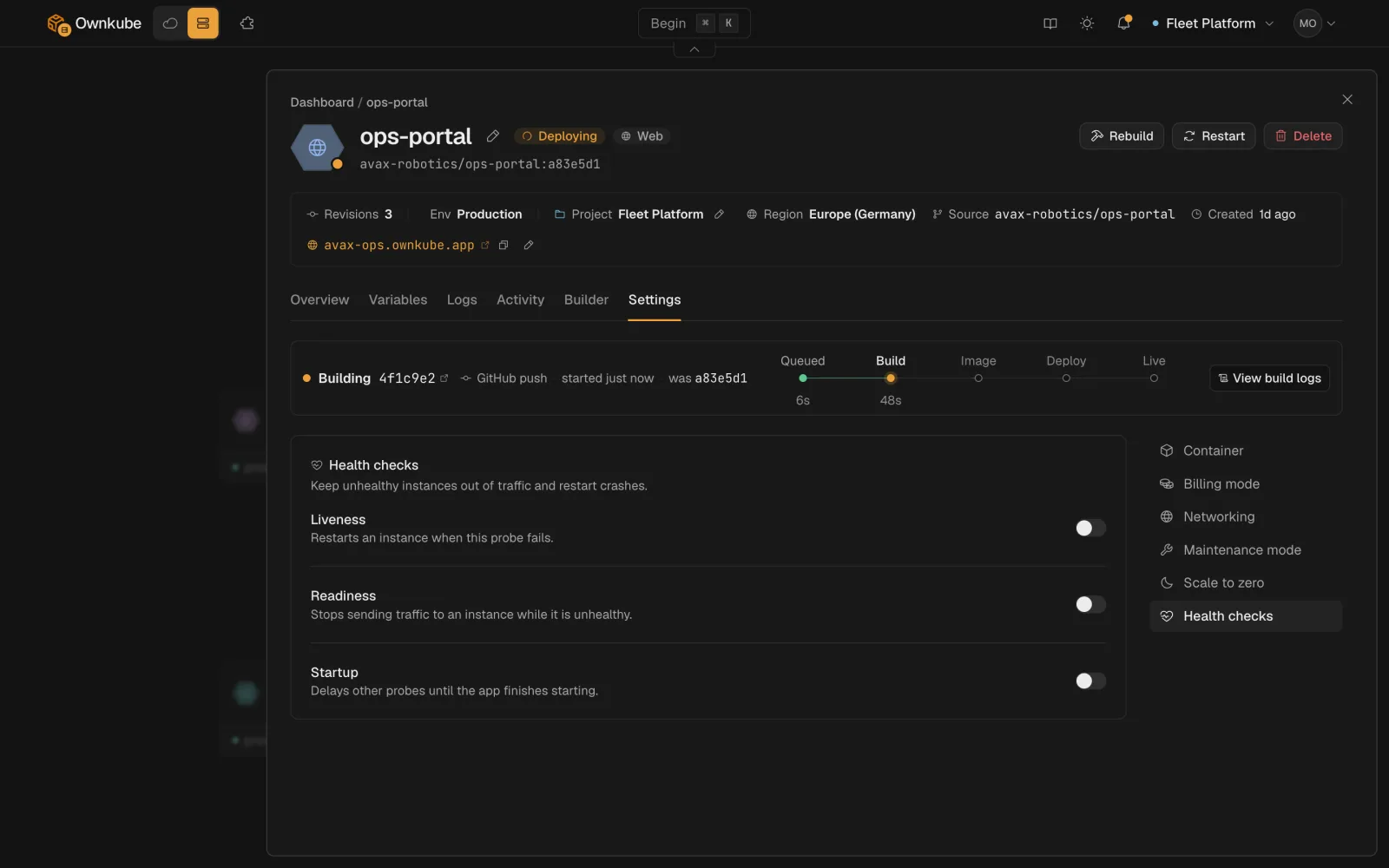
The three probes
Section titled “The three probes”| Probe | Question it answers | On failure |
|---|---|---|
| Startup | Has the container finished booting? | Keeps waiting up to the failure threshold, then restarts the container. Liveness and readiness do not run until startup passes. |
| Readiness | Can this container take traffic right now? | Removes the container from the hostname and private address until it passes again. No restart. |
| Liveness | Is this container still alive? | Restarts the container. |
Each probe sends an HTTP GET to a path on the container’s port and treats any 2xx or 3xx as a pass. The same ideas are documented in detail in the Kubernetes probe reference, which Ownkube follows.
Defaults and ranges
Section titled “Defaults and ranges”| Field | Default | Range |
|---|---|---|
| Path | /health | any path |
| Period | 10 s | 1 to 300 |
| Timeout | 5 s | 1 to 60 |
| Failure threshold | 3 | 1 to 30 |
| Initial delay | 0 s | 0 to 300 |
All three are off by default. Without probes, Ownkube treats a container as ready as soon as its process is running, which is fine for a first deploy and wrong for anything that takes a few seconds to warm up.
A sensible setup for a web app
Section titled “A sensible setup for a web app”-
Add a health route
Return
200from/health(or/healthz,/ready) once the app can serve requests, including after its database connection is up. Most framework guides show the one-liner. -
Turn on readiness
On the Settings tab, enable Readiness with path
/health, period10, failure threshold3. This alone gives you zero-downtime rollouts. -
Turn on liveness if the app can hang
For apps that can deadlock or leak until they stop answering, enable Liveness on the same path with a longer period, such as
30, so a slow request does not trigger a restart. -
Add a startup probe for slow boots
If the app needs longer than a few seconds to start (JVM, large Rails app, migrations on boot), enable Startup with a failure threshold big enough to cover the boot: period
5and threshold30allows 150 seconds.
What you see
Section titled “What you see”A container failing its probes shows the deployment as Degraded on the Overview tab, with the probe result in the status detail. During a rollout, the status stays Syncing until the new containers pass readiness. See Observability for every status. A restarts alert catches a liveness restart loop before users do.
Workers and jobs
Section titled “Workers and jobs”Workers have no hostname, so readiness only affects private traffic. A liveness probe still makes sense if the worker exposes a small HTTP status endpoint. Jobs do not use probes; a job is healthy when its process exits with status 0.