
Logs
Ownkube collects whatever your containers write to standard output and standard error. Open the Logs tab on any deployment to read them. There is nothing to configure: log to stdout and it shows up.
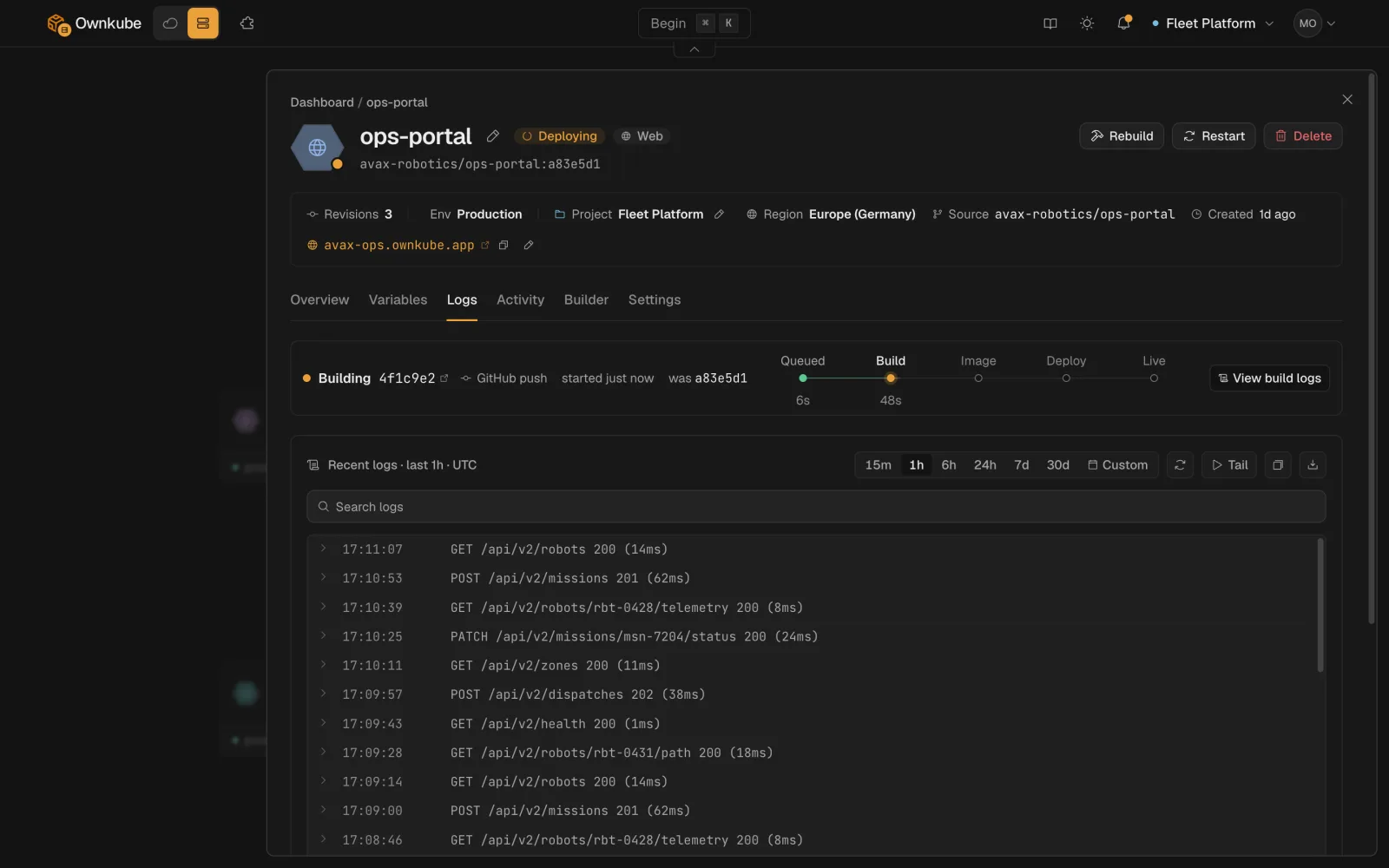
Reading the Logs tab
Section titled “Reading the Logs tab”- Time window. The picker at the top selects the last 15 minutes, hour, 6 hours or 24 hours, or a custom from and to. It is the same picker the Overview metrics use, so the two stay in step.
- Search. Type into the search box to filter the lines in view as you type. Press Enter to run the text as a regular expression against the server for the whole window.
- Filters. Narrow by structured fields with
key:valuechips.level:errorkeeps only error lines;instance:<id>keeps one replica’s output when several are running. The search box suggests keys and example values as you type. - Live tail. The panel loads the selected window once and holds still, so a line does not move out from under you while you read it. Click Tail to switch to a live stream; the button reads Live while it is on, and clicking again pauses it.
- Download. The download button saves the current buffer as a text file.
Levels
Section titled “Levels”Ownkube detects the level from the line itself: structured JSON with a level field, or common prefixes such as ERROR, WARN, INFO and DEBUG. Lines it cannot classify get no level and still match plain searches. Writing structured JSON logs gives you the most useful filters.
From the terminal
Section titled “From the terminal”okctl deploy logs <id> # recent linesokctl deploy logs <id> --range 3600 # the last hour, in secondsokctl deploy logs <id> --filter "timeout" # lines containing a substringokctl deploy logs <id> --limit 500 # at most 500 linesBuild output is separate from runtime output. Read it with okctl deploy build-logs <id> <revision-id>, or from the build entry on the Activity tab in the dashboard. See Builds and source.
Logs on databases and caches
Section titled “Logs on databases and caches”A Postgres or Valkey deployment has the same Logs tab. It shows the engine’s own log plus every statement run through the data console, recorded as text with the user who ran it.
Retention
Section titled “Retention”Logs are kept for 7 days on Pay as you go, 30 days on Personal and 90 days on Team. Download anything you need for longer. See Plans and pricing.
- Log one event per line. Multi-line stack traces are kept together when the runtime emits them as one record, which most JSON loggers do.
- Do not log secrets. Logs are visible to every member of the organization.
- If a deployment goes Degraded, the last few lines before a restart are usually the reason. Filter by
level:errorand set the window to the time of the restart on the Activity tab.