
Observability
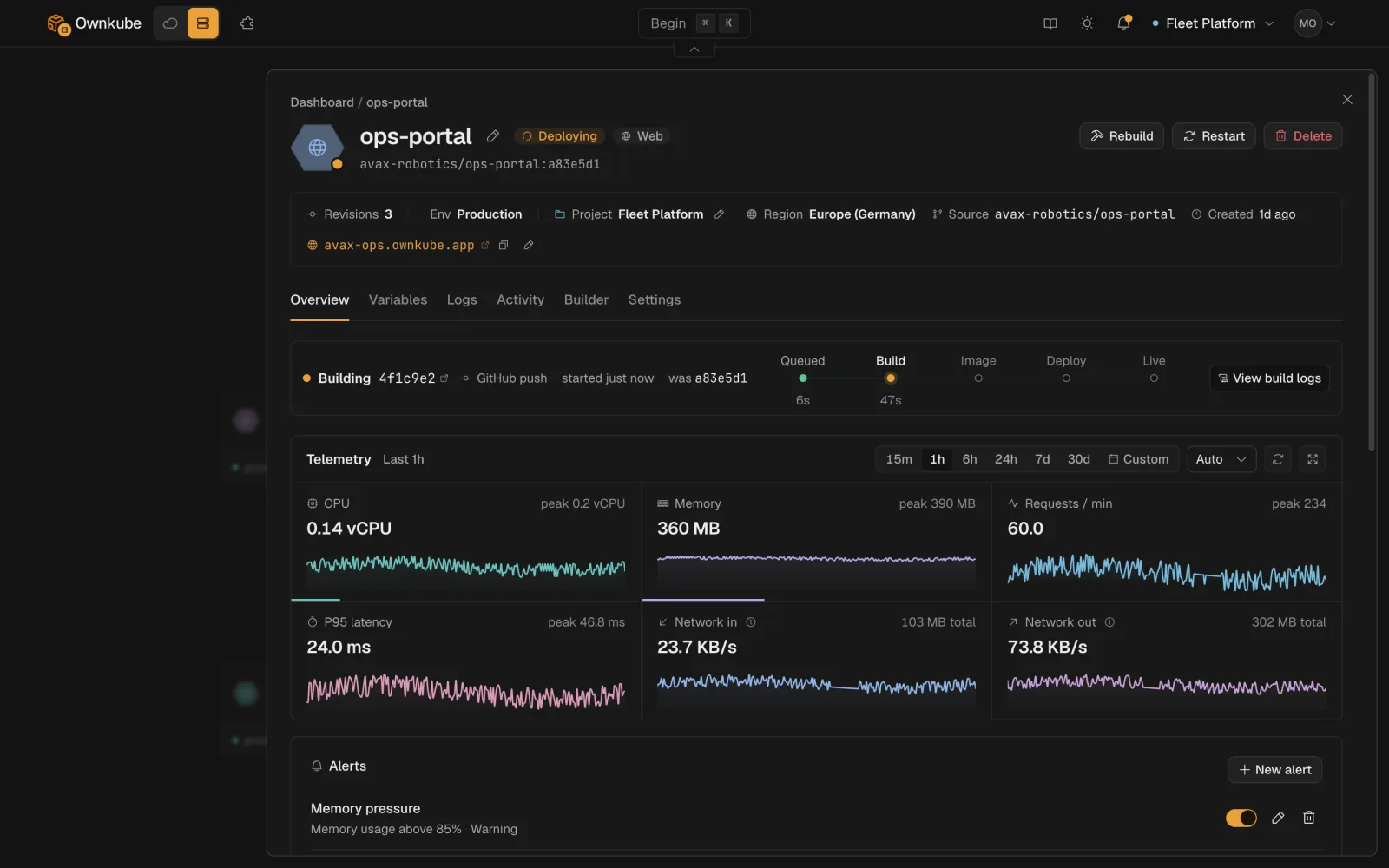
Every deployment comes with its own observability. Open it from the dashboard and you get status, logs, metrics and alerts for that one thing, with nothing to wire up and no third-party agent to run.
Where to look
Section titled “Where to look”| Question | Where |
|---|---|
| Is it up? | The status pill on the Overview tab and on the dashboard list. See Status below. |
| What is it printing? | The Logs tab. See Logs. |
| Is it busy? | CPU, memory and replica tiles on Overview, plus request rate, p95 latency and network in and out for public web apps. See Metrics. |
| Tell me when it breaks | Alerts on Overview: CPU, memory or restart thresholds that email you. See Alerts. |
| What changed and when? | The Activity tab: rollouts, rollbacks, config changes, alert firings and who did them. See Rollbacks and activity. |
| How did the build go? | The build log on the Activity tab and on each revision. See Builds and source. |
A time picker on the Overview tab (15m, 1h, 6h, 24h or a custom window) is shared by the metrics and the Logs tab, so you can narrow in on an incident once and read everything in that window.
Status
Section titled “Status”The status pill tells you the health of the live replicas against what you asked for.
| Status | Meaning |
|---|---|
| Healthy | Every replica passes its health checks and the live config matches the saved config. |
| Syncing | A change is rolling out: new replicas starting, old ones draining. |
| Degraded | At least one replica is failing health checks or restarting repeatedly. Check the Logs tab. |
| Paused | Replicas set to 0, nothing running. |
| Asleep | A scale to zero app or datastore parked itself; the next request wakes it. |
| Deleting | Being removed. |
During a rollout the status moves through the steps below. If a health check fails, the rollout stops and the previous revision keeps serving.


The same status is available from the terminal with okctl deploy status <id> and from a coding agent through the MCP server.
Retention
Section titled “Retention”| Plan | Logs and metrics kept for |
|---|---|
| Pay as you go | 7 days |
| Personal | 30 days |
| Team | 90 days |
Download logs from the Logs tab if you need to keep them longer.
Own cloud
Section titled “Own cloud”If you run in your own AWS account, every page in this section applies to deployments on your cluster, and the cluster page adds node-level telemetry: node count, vCPU, memory and active deployments. See Clusters.