
The basics
Everything in Ownkube hangs off four nouns. Once you know them, every page in the dashboard, the CLI and the MCP server reads the same way.
| Concept | What it is |
|---|---|
| Organization | The account boundary. Members, roles, billing and the wallet live here. You can belong to several. |
| Project | A folder for related deployments inside an organization, such as one product or one customer. |
| Environment | A stage such as Development or Production. Holds shared variables and keeps names unique. |
| Deployment | One workload: a web app, worker, scheduled job, Postgres database or Valkey cache. |
A deployment belongs to exactly one environment and one project. The same deployment name can exist in Development and Production side by side.
The dashboard
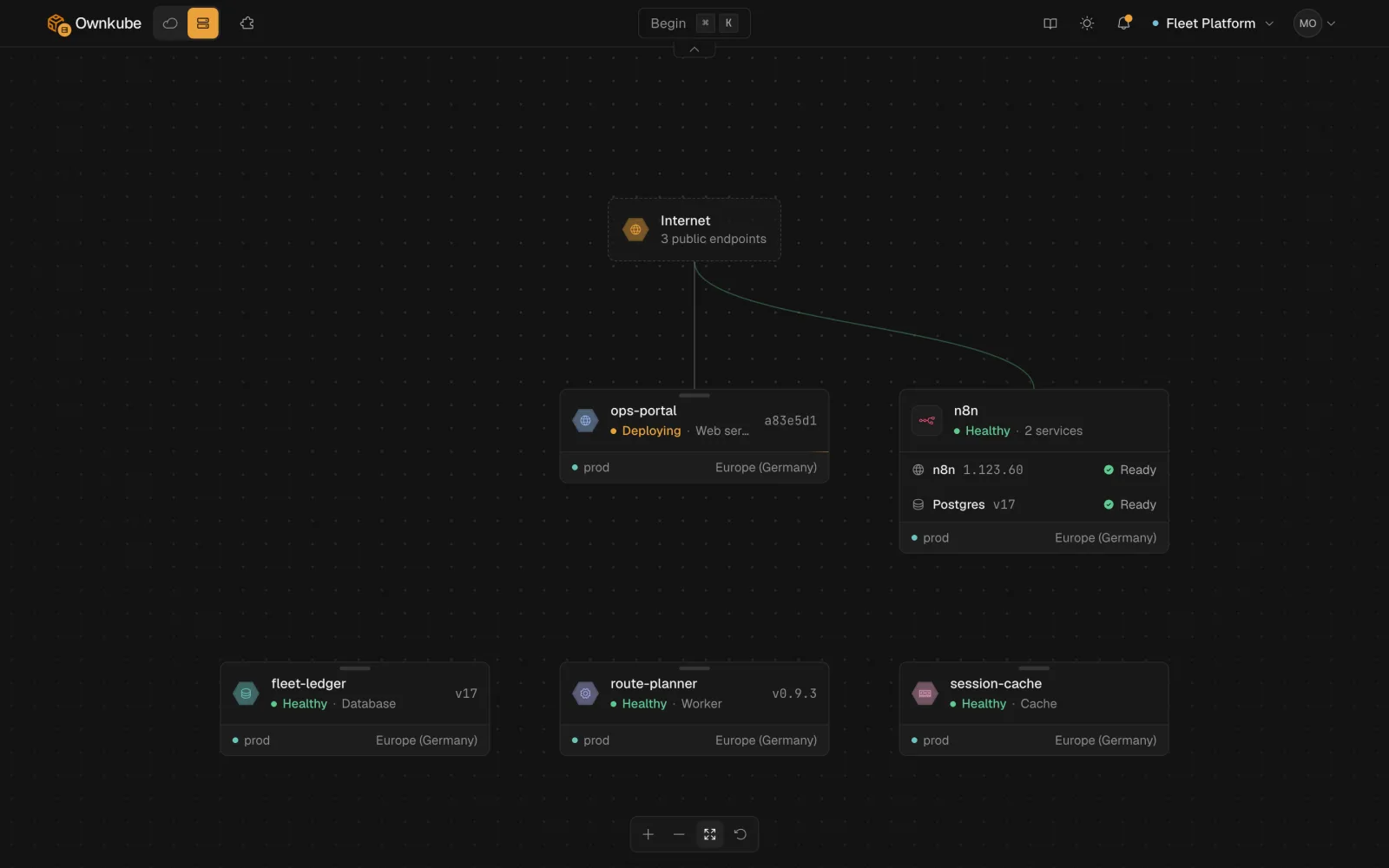
Section titled “The dashboard”The dashboard lists every deployment in the current organization, grouped by project, with its environment, region and live status. The top bar switches organization and opens Marketplace, Billing and Settings.
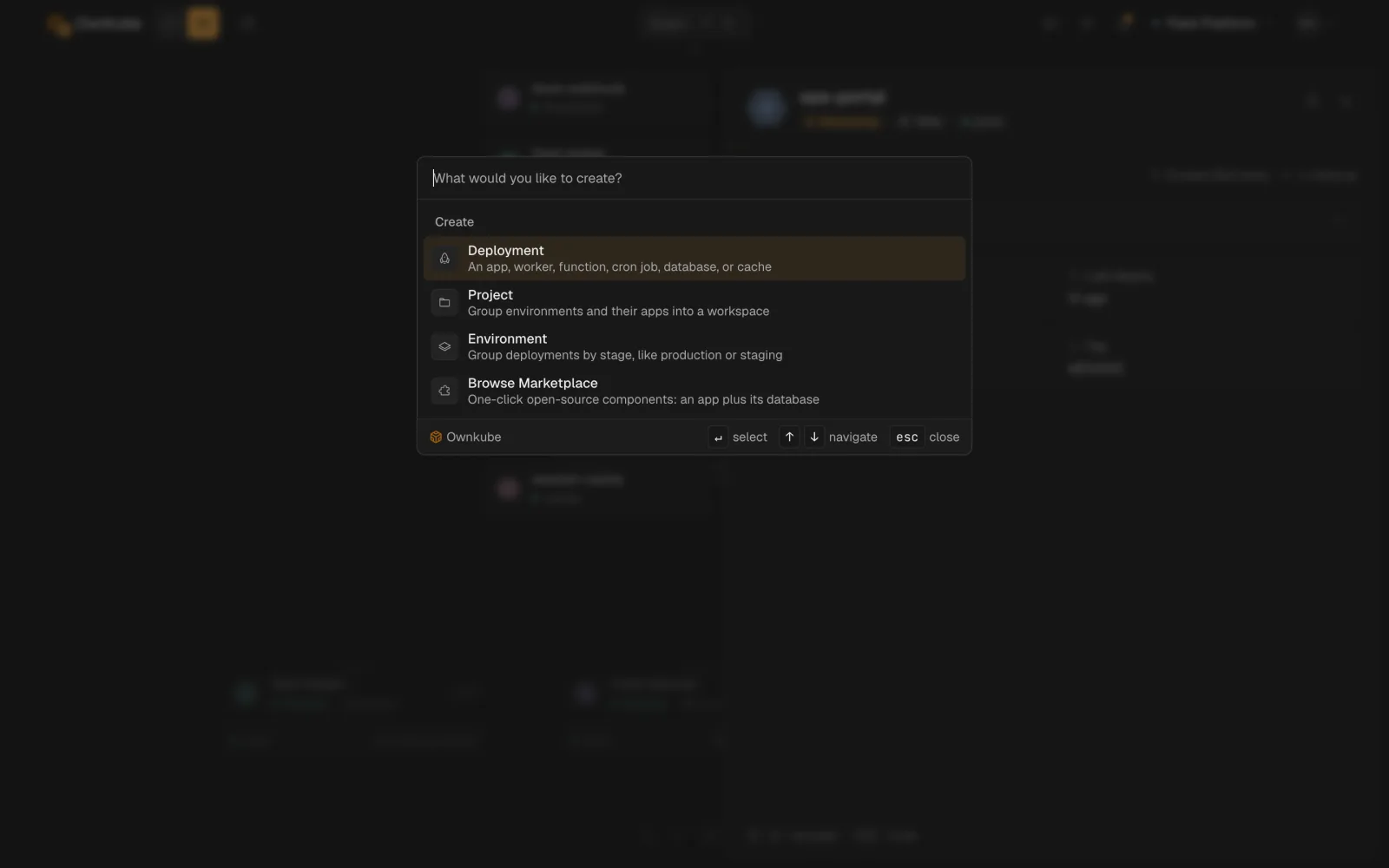
Press ⌘ K anywhere to open the command palette. It jumps to any deployment by name and creates a deployment, project or environment, or opens the Marketplace, without leaving the keyboard.
A deployment’s page
Section titled “A deployment’s page”Open any deployment and you land on its tabs. Which tabs you see depends on the resource type.
| Tab | What it holds | Web and worker | Job | Database and cache |
|---|---|---|---|---|
| Overview | Status, hostname, metrics, alerts, platform version | Yes | Yes | Yes |
| Runs | Run history, Run now, cancel | Yes | ||
| Data | Browse tables and rows, run SQL, inspect keys | Yes | ||
| Variables | Plain and secret variables | Yes | Yes | |
| Logs | Live tail with regex filter and download | Yes | Yes | Yes |
| Activity | Every revision with a diff and a rollback button | Yes | Yes | Yes |
| Builder | Root directory, build arguments, builder size | Yes | Yes | |
| Security | Password protection (own-cloud Starter only) | Yes | ||
| Settings | Source, port, resources, scaling, probes, sleep, delete | Yes | Yes | Yes |
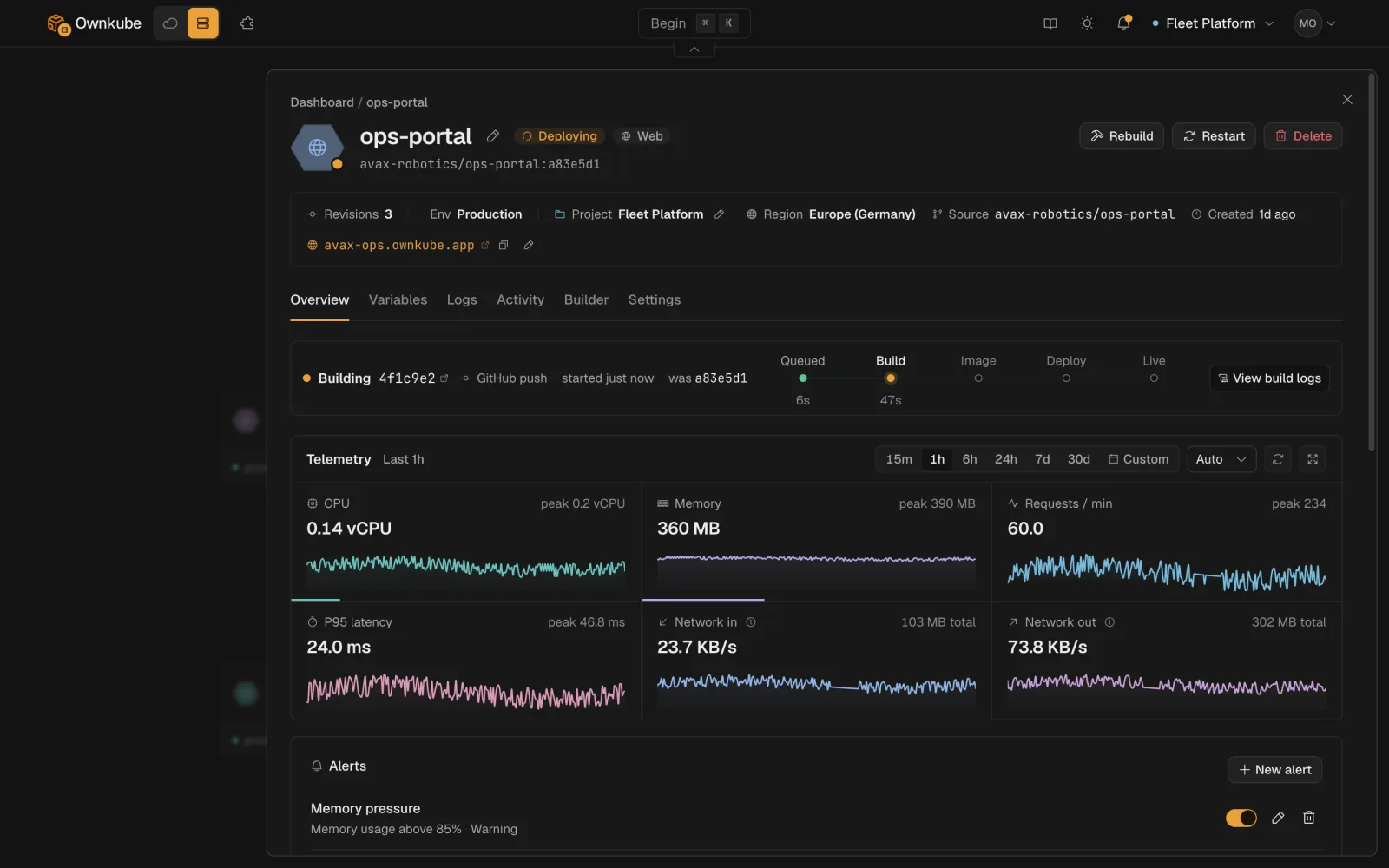
Saving any change on Settings or Variables creates a new revision and rolls it out. New containers start and pass health checks before old ones stop. See Rollbacks and activity.
Where things run
Section titled “Where things run”Ownkube Compute runs your deployments in a region you pick per deployment: Asia (Mumbai) or Europe (Germany). Deployments in the same region reach each other over private networking; public web apps get a hostname with TLS from public hostnames and TLS.
You pay per minute from a prepaid wallet. An app that is asleep bills nothing.
Three ways in
Section titled “Three ways in”- Dashboard at app.ownkube.io, described above.
- CLI:
okctlcovers deploys, logs, a shell on a running app, billing and more. - MCP server: your coding agent does the same through the Model Context Protocol.