
Rollbacks and activity
Every change to a deployment, whether a push, a variable edit, a scaling change or a tag bump, is a revision. The Activity tab lists them with who made the change, when, and a field-level diff, and any earlier revision is one click from being live again.
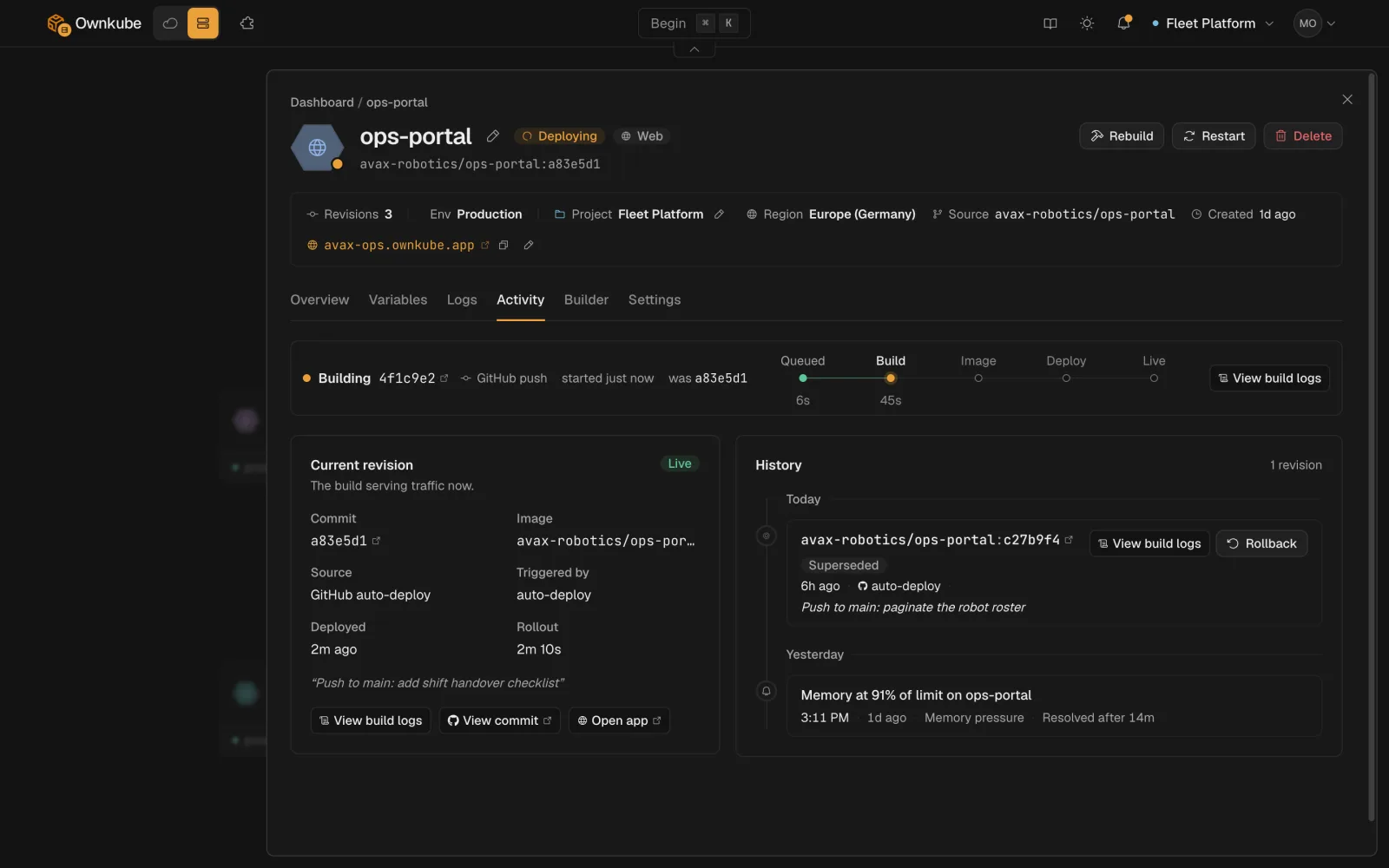
Roll back
Section titled “Roll back”-
Open Activity
On the deployment’s page, open Activity. The live revision is marked.
-
Pick a revision
Expand any earlier revision to see exactly what differed: image or commit, port, variables (secret values stay masked), resources, probes.
-
Roll back
Click Roll back. Ownkube creates a new revision with the old configuration and rolls it out through the usual health checks. A rollback is itself a revision, so it shows in the history and can be undone the same way.
From the terminal: okctl deploy revisions <id> to list, okctl deploy rollback <id> <revision-id> to roll back. Your coding agent can do the same through the MCP server.
How far back you can go depends on the plan: the last 3 revisions on Pay as you go, 10 on Personal and Team. See Plans and pricing.
When a rollout fails
Section titled “When a rollout fails”A rollout that cannot become healthy does not take traffic. The previous revision keeps serving, the status shows Degraded or stays Syncing, and the Logs tab shows what the new containers did. Fix forward with another change, or roll back to the last healthy revision. See Observability.
Other actions on a deployment
Section titled “Other actions on a deployment”| Action | What it does | CLI |
|---|---|---|
| Promote | Copy the live revision onto a deployment in another environment, without its variables. See Environments. | okctl deploy promote |
| Copy | Clone the deployment into another environment or cluster. | okctl deploy copy |
| Restart | Roll every container without changing configuration. | okctl deploy restart |
| Rebuild | Build the current commit again and roll out the result. | okctl deploy rebuild |
| Resync | Re-apply the current configuration to recover a stalled rollout. | okctl deploy resync |
| Maintenance page | Serve a maintenance page on the hostname while you work. | okctl deploy maintenance |
Who can do what
Section titled “Who can do what”Members can roll back, restart and promote. Deleting a deployment and revealing credentials need an owner or admin. Every action is recorded on Activity with the user who ran it. See Organizations and roles.