
Environments
An environment is a stage: Development, Staging, Production, or anything you name. Every deployment belongs to one. Environments keep names unique, carry shared variables, and are the unit you promote between.
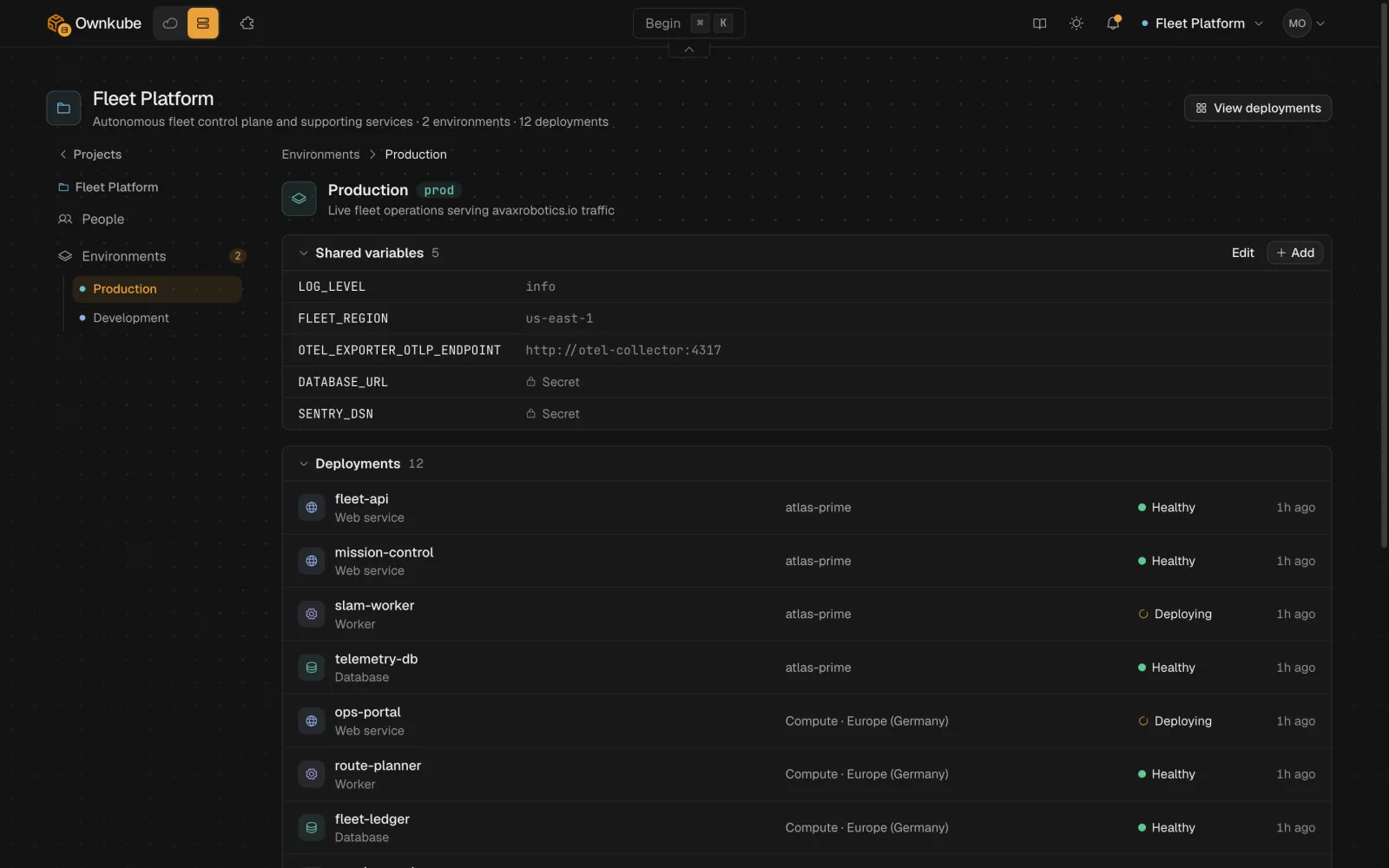
How environments work
Section titled “How environments work”- Every organization starts with Development and Production. Create as many more as you need.
- A deployment belongs to exactly one environment. The same name can exist in Development and Production without collision.
- Each environment has a colour that shows on every deployment card and page, so a production change is hard to mistake for a development one.
- Deployments in different environments are separate workloads with separate variables, scale and data. A Production database is never shared with Development by accident.
Create an environment
Section titled “Create an environment”-
Open Settings
Go to Settings and open Environments, or press ⌘ K and choose Environment.
-
Name and colour it
Pick a name such as
stagingand a colour. -
Use it
The new environment appears in the Environment picker when you create a deployment.
From the terminal: okctl environments create, list, get, update and delete.
Shared variables
Section titled “Shared variables”Open an environment’s page to set variables every deployment in it inherits. A deployment that sets the same key keeps its own value. See Variables.
Promote between environments
Section titled “Promote between environments”Promotion copies the live revision of one deployment onto another, typically Staging to Production: the image or commit, port, resources and probes. Variables are not copied, so Production keeps its own secrets.
-
Open the source deployment
On the deployment you have tested, open Activity and choose Promote on the live revision.
-
Pick the target
Choose the deployment in the target environment. Ownkube shows the diff between the two before anything changes.
-
Confirm
The target rolls out the promoted revision like any other change, with health checks gating traffic and a rollback one click away.
The CLI equivalent is okctl deploy promote <deployment-id>. To clone a deployment into another environment for the first time, use Copy or okctl deploy copy.
Limits
Section titled “Limits”- Deleting an environment requires it to be empty.
- Environments are per organization, not per project; a project can have deployments in several environments.